Table of Contents
TL;DR
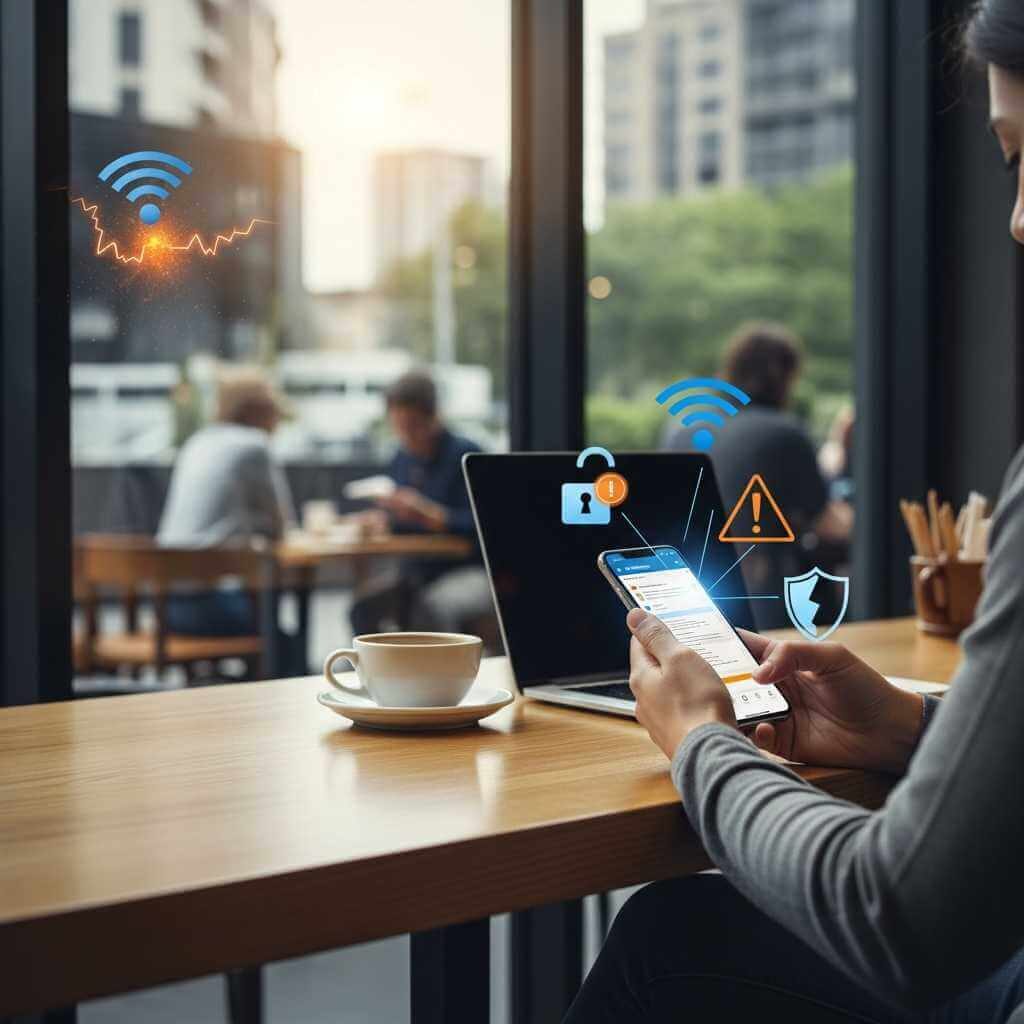
Public Wi‑Fi looks harmless, yet it can expose your phone, accounts, and private data to attack. For smartphone fans who hop onto cafe, airport, and hotel networks, the safest mindset is simple: treat any public hotspot as untrusted.
Use mobile data or a VPN for anything sensitive, watch for fake hotspots and login pages, and keep your device updated; public Wi‑Fi can still expose metadata, sessions, and credentials even when sites use HTTPS. And don’t forget as a phone users should treat it as untrusted.
Introduction
I once joined free coffee house Wi‑Fi, noticed a strange login path, and backed out fast. That moment felt small, yet it showed how quickly a simple tap can turn into a trap on a shared network. This was an eye opener for me. Especially when I am working with sensitive data. And just like that, one travel, one moment of negligence and I could have found myself in a scary situation.
Luckly having an IT background saved me this time. But for many of you, knowing why public wi-fi networks are dangerous could save you from a lot of headache and troubles.
This post explains why public Wi‑Fi networks are dangerous, how common attacks work, and how phone users can stay safer without killing convenience. And as you already know, it was inspired by my very own story while traveling.
Why Public Wi‑Fi Is Different
Public hotspots usually share access among strangers, use weak or no encryption, and lack strong network isolation. Home and corporate networks tend to use stronger controls, unique credentials, firewalls, and tighter monitoring.
That difference matters. On public Wi‑Fi, anyone within range may join, watch traffic, or set up a fake hotspot that looks real enough to fool a rushed user.
Just imagine a scenario where you are in a hurry and your data plan is low. You pull out your smartphone and rush to join a local coffee shop network just to check on something. This might turn out to be a costly mistake. Especially if you are not paying attention.
Did you know that 28% of global hotspots have no encryption at all? Or that 53% of people connect to public Wi‑Fi without checking whether the access point is real, which raises the chance of evil twin attacks. These are just some of the stats that prove you should be extremely careful when joining a public Wi-Fi.
Attack Vectors That Matter
Packet sniffing
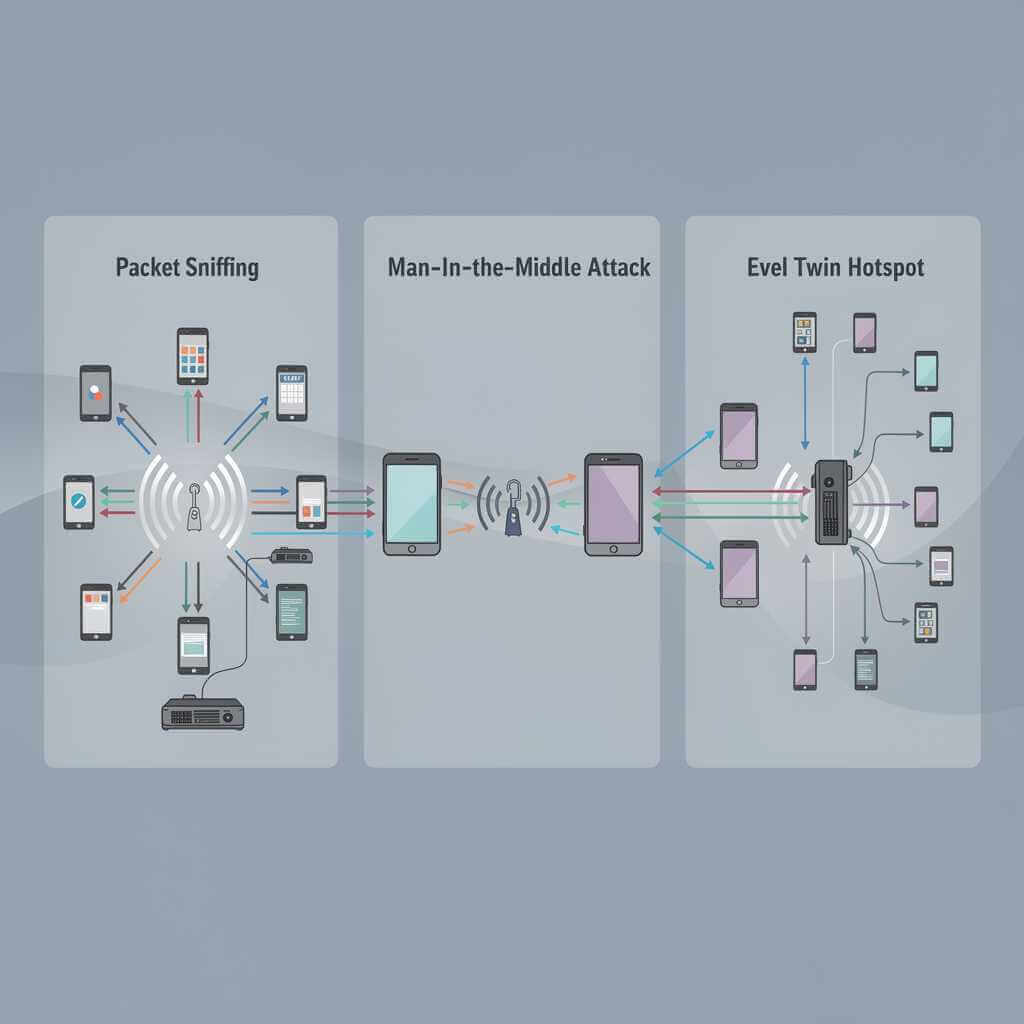
Packet sniffing means capturing network packets to read traffic and metadata. On open or poorly secured Wi‑Fi, an attacker nearby can grab unencrypted messages, files, and logins with low-cost tools.
You cannot always detect packet sniffing on public Wi‑Fi, so the smarter move is to use a VPN, stick to HTTPS, and avoid sensitive logins on open networks.
Packet sniffing on public Wi‑Fi can be set up with very little effort by someone who already has basic tools and a nearby access point, which is why public hotspots are such a common target for data theft, fake login pages, and evil twin attacks.
As you can see, this is a real danger when joining on a public Wi-Fi network. Keep reading, because later on we will see how to protect yourself against this type of attacks.
Man-in-the-middle attacks
A man-in-the-middle attack happens when an attacker slips between you and the service you meant to reach, then listens, changes, or reroutes the data passing through. On public Wi‑Fi, this often starts with a fake hotspot or a compromised network that tricks your phone into connecting, which lets the attacker see logins, cookies, and other sensitive traffic.
In order to understand it better, here is a short example:
A traveler joins “CoffeeShop_FreeWiFi” at an airport lounge and opens their banking app. A nearby attacker is running a rogue hotspot with the same name, so the phone connects to that network instead of the real one. From there, the attacker sits between the phone and the bank site, watches the session, and can try to redirect the user to a fake login page or capture session data.
Packet sniffing and a man-in-the-middle attack are related, but they are not the same. Packet sniffing is mainly watching traffic on a network, while a man-in-the-middle attack is getting between you and the service, then reading, changing, or redirecting the traffic.
Evil twin hotspots
An evil twin hotspot is a fake Wi‑Fi network that copies the name of a real one, like a cafe, hotel, or airport hotspot, so people connect to it without noticing. Once a phone joins the fake network, the attacker can watch traffic, steal logins, show fake pages, or push users into a man-in-the-middle setup.
Here is an example of how it can be executed:
At a busy cafe, a traveler scans for a familiar Wi‑Fi name and connects without a second thought. The network looks normal, but it is a fake hotspot set up by an attacker to sit between the user and the internet, quietly capturing traffic, login details, and session data before the victim notices anything is wrong.
This is another reason why public Wi-Fi networks are dangerous. You might be thinking you are logged in to your favourite coffee place Wi-Fi, but you are not. You just might have fallen a victim to a evil twin hotspot attack.
Metadata leakage
Even when HTTPS protects the page content, public Wi‑Fi can still reveal domains, IP addresses, DNS queries, timing, and data volume. That trail can expose browsing habits, travel patterns, or service use.
Metadata leakage on public Wi‑Fi means that even when your messages are encrypted, an attacker or hotspot operator can still learn details such as which sites you visit, when you connect, your IP address, DNS lookups, and traffic volume; that information can be used to profile you, target phishing, or infer sensitive habits like banking, travel, or medical use.
Unlike packet sniffing, which tries to read the content of unprotected traffic, or man-in-the-middle attacks, which try to sit between you and the service, metadata leakage focuses on the “shape” of your activity rather than the message itself. It can still be dangerous for victims because it reveals behavior patterns and relationships, even when passwords stay hidden, and that privacy trail can be valuable to criminals or anyone watching the network.
The best protection is to use a VPN, keep Wi‑Fi on only when needed, prefer HTTPS, disable auto-join, randomize your device’s MAC address where possible, and avoid sensitive logins on open hotspots
Why HTTPS Is Not Enough
HTTPS, or Hypertext Transfer Protocol Secure, is the encrypted version of HTTP that protects the data sent between your browser and a website. On public Wi‑Fi, the lock icon means your connection to that site is harder to read or tamper with, but it does not make the hotspot itself safe or stop fake portals, metadata leaks, or phishing pages.
HTTPS has raised the bar for simple password sniffing, and that matters. Still, HTTPS does not hide everything, and it does not stop fake portals, DNS tricks, or downgrade attempts on a hostile network.
A phone app may use embedded web views, weak TLS handling, or loose cookie rules. That leaves gaps that an attacker on public Wi‑Fi can try to abuse.
Common User Payoffs
The real payoff for attackers is not just reading traffic. They want credentials, sessions, payment data, and device access that can lead to account takeover or fraud.
| Threat | What happens | Why phones matter |
|---|---|---|
| Evil twin hotspot | Phone joins a fake network | Small screens hide clues, so users tap fast |
| Session hijack | Cookies get stolen | A stolen session can skip passwords |
| Phishing portal | Fake login page appears | Mobile users may trust captive portals |
| Malware injection | Bad content or download arrives | Phones can store email, banking, and work data |
Why Smartphone Users Face Extra Pressure
Phones travel everywhere, so they spend a lot of time on public Wi‑Fi. Users often switch networks fast, trust familiar names, and enter passwords on small screens, which helps attackers hide clues.
Apps can worsen the problem. Mobile services may talk to third-party APIs, load remote content, or keep users signed in, which gives an attacker a chance to steal a live session.
My Coffee Shop Moment
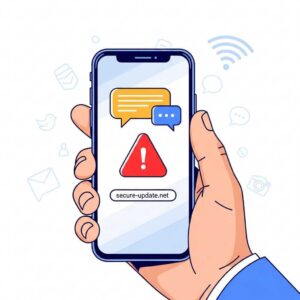
That coffee house Wi‑Fi looked normal at first glance. Then I noticed the login flow felt off, and the page asked for more than a cafe network should need, so I backed out and used mobile data instead.
That kind of small warning sign matters. On public Wi‑Fi, a fake portal or odd redirect can be enough to turn convenience into a security problem.
How To Stay Safer
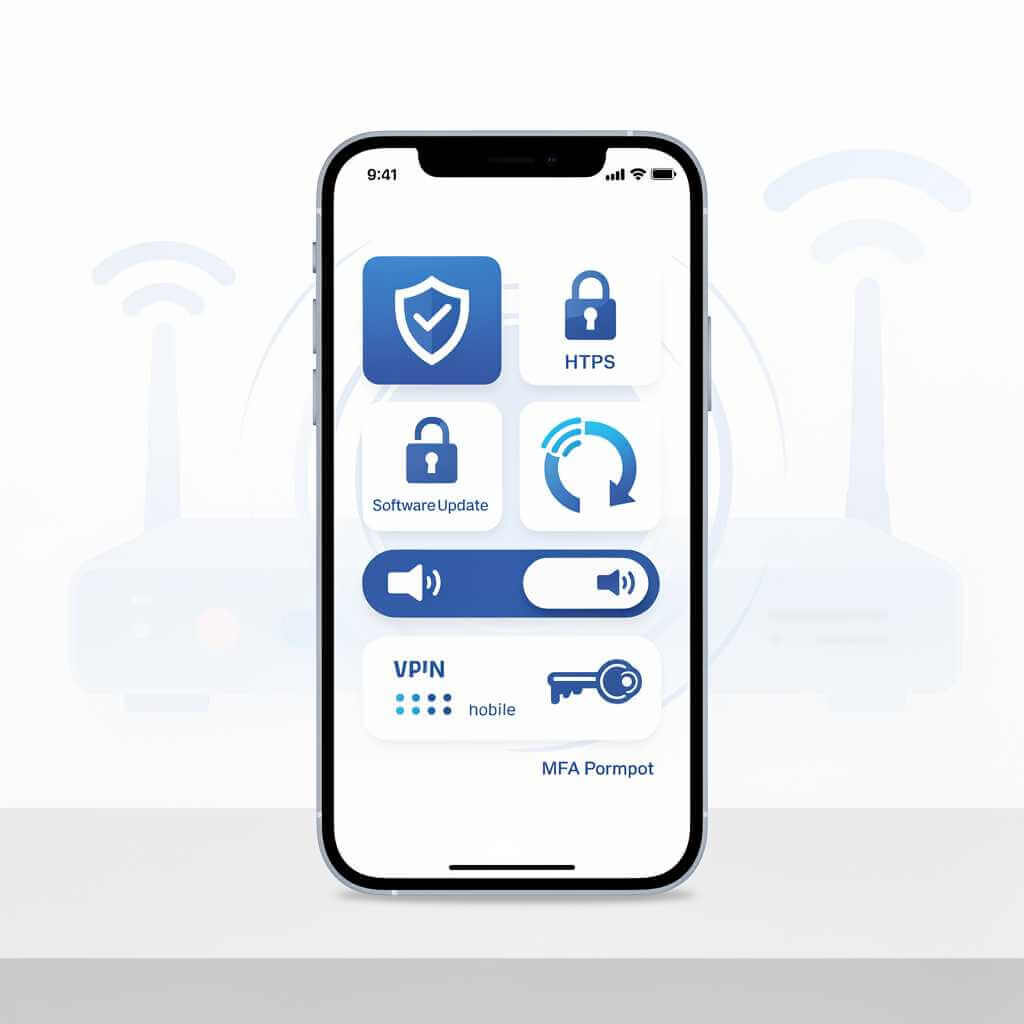
- Use mobile data for banking, crypto, password changes, or work mail on public trips.
- Turn on a reputable VPN before joining any hotspot.
- Confirm the exact network name with venue staff.
- Avoid auto-join for open networks.
- Ignore certificate warnings.
- Keep phone OS, browser, and apps updated.
- Use MFA that avoids SMS when possible.
A smarter move on public Wi‑Fi is to keep your phone’s security basics tight: use a VPN, turn off auto-join, avoid logins and payments, and forget the network after you leave. Usually when I am in a hurry I tend to have my Cyberduo turned on just in case. Don’t get me wrong, I still exercise caution when joining public Wi-Fi networks but a little extra help goes a long way. Because of my work, I always take the necessary steps to stay protected.
Practical Rule For Phone Users
If a task needs trust, privacy, or money, do not do it on public Wi‑Fi. Public hotspots are fine for low-stakes browsing, but they are a poor place for logins, payments, or work files.
FAQ:
Q1: Is public Wi-Fi safe?
Public Wi‑Fi is useful, but it is not the safest place for sensitive tasks. Most websites now use encryption, yet public hotspots can still expose metadata, fake login pages, and weak points for attackers.
Q2: What is the biggest danger on public Wi‑Fi?
The biggest danger is that someone on the same network may intercept traffic, lure you to a fake hotspot, or try a man-in-the-middle attack. That can lead to stolen logins, session hijacking, fraud, or privacy loss.
Q3: How do I know a Wi‑Fi network is real?
Check the exact network name with staff or signage before connecting. If the name looks generic, slightly misspelled, or has duplicates nearby, treat it with caution.
Q4: Does HTTPS protect me on public Wi‑Fi?
HTTPS helps protect the content sent between your browser and a website, but it does not make the hotspot itself safe. Attackers can still see metadata, run fake portals, or try to trick you into giving up information
Q5: What should I avoid on public Wi‑Fi?
Avoid banking, shopping, password changes, and anything that involves sensitive personal or work data. If you must connect, use a VPN, keep file sharing off, and log out when you finish.
Q6: How can I stay safer on public Wi‑Fi?
Use a trusted VPN, turn off auto-join, forget the network after use, keep your device updated, and enable multi-factor authentication on important accounts. If a network or page feels off, disconnect and switch to mobile data.
Q7: What is an evil twin hotspot?
An evil twin is a fake Wi‑Fi network that copies the name of a real one so your device may join it by mistake. Once connected, the attacker can watch traffic or send you to phishing pages.
Q8: Can public Wi‑Fi damage my phone?
Yes, if an attacker uses the network to push malicious content, exploit a weak app, or steal a session. A quick connection to a hostile hotspot can still create long-term problems if your device is not well protected.
Why Public Wi‑Fi Networks Are Dangerous: Conclusion
Why Public Wi‑Fi Networks Are Dangerous comes down to a simple truth: public hotspots give attackers a shared space, weak controls, and easy ways to trick rushed users. Packet sniffing, man-in-the-middle attacks, evil twin hotspots, metadata leakage, and phishing all stay real threats even with more HTTPS use.
For smartphone fans, the safest habit is to treat public Wi‑Fi as a convenience layer, not a trusted place for sensitive tasks. Use mobile data or a VPN for anything private, and trust your instincts when a login screen or hotspot name feels wrong.