Table of Contents
TL;DR
Flagship smartphones in 2025 are powerful enough to act as serious companions for AI security cameras 2025, handling real-time video streaming, AI-based motion detection, and multi-camera monitoring with surprising reliability. Modern phones can process multiple 1080p camera feeds, deliver sub-second alerts, and run advanced object recognition for people, pets, vehicles, and packages.
Android 16 offers greater flexibility, better background monitoring, and stronger multi-camera handling, while iOS 18 excels in battery efficiency, thermal control, and app stability. Apps like Reolink and Wyze make setup quick and accessible, turning your phone into a portable security hub in minutes.
Smartphones won’t replace dedicated 24/7 security systems, especially for outdoor or insurance-required monitoring. However, for elderly care, pet monitoring, apartments, travel check-ins, and small business secondary surveillance, flagship phones paired with AI security cameras provide an affordable, flexible, and highly effective solution.
Introduction: Why Your Phone Is Becoming a Security Hub
A few years ago, I never would have trusted my smartphone with something as serious as home security. Phones were communication tools first, cameras second, and security devices… not at all. That mindset changed the moment I realized how much AI processing power modern flagship phones now carry in their pockets.
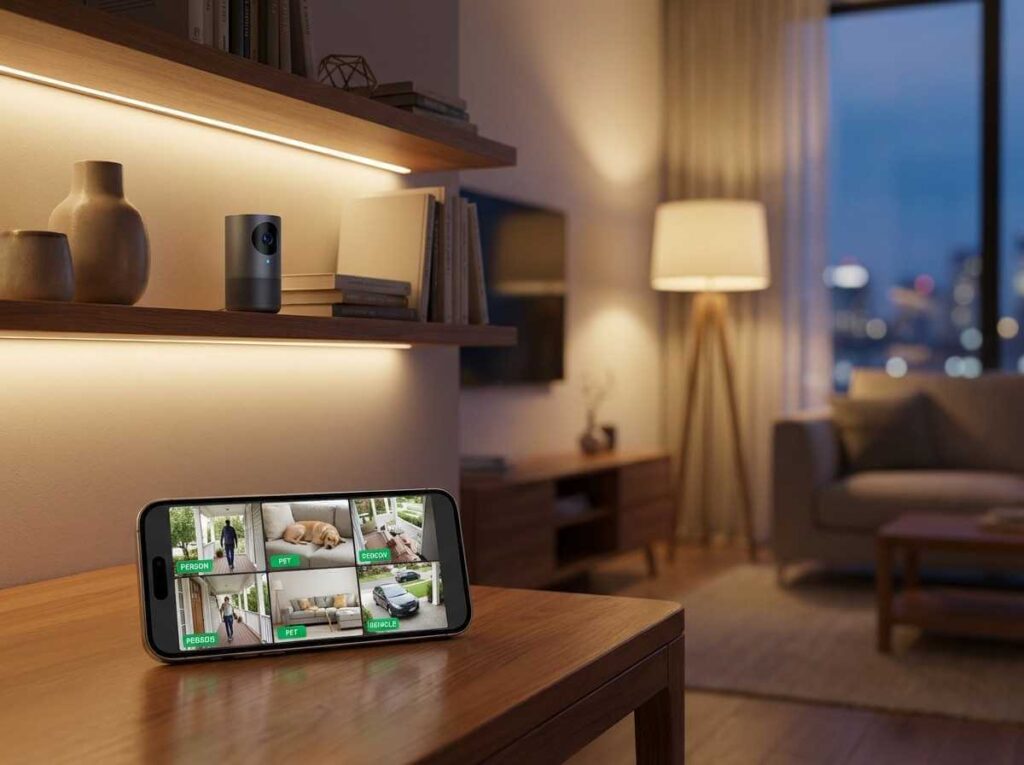
In 2025, flagship smartphones aren’t just capable of displaying security feeds — they actively process them. AI-powered object detection, low-latency streaming, background monitoring, and encrypted cloud access have turned phones into serious companions for AI security cameras 2025.
This article explores a question I kept asking myself while testing multiple flagship devices: Can your phone realistically become the control center for home security? After weeks of real-world testing, comparing Android 16 and iOS 18, and running multiple IP camera setups, the answer is more nuanced — and more exciting — than I expected.
We’ll break down how AI video security works on smartphones, which flagship phones handle it best, the apps that matter, and how to set everything up step by step.
What AI Video Security Really Means in 2025
From Passive Viewing to Active Intelligence
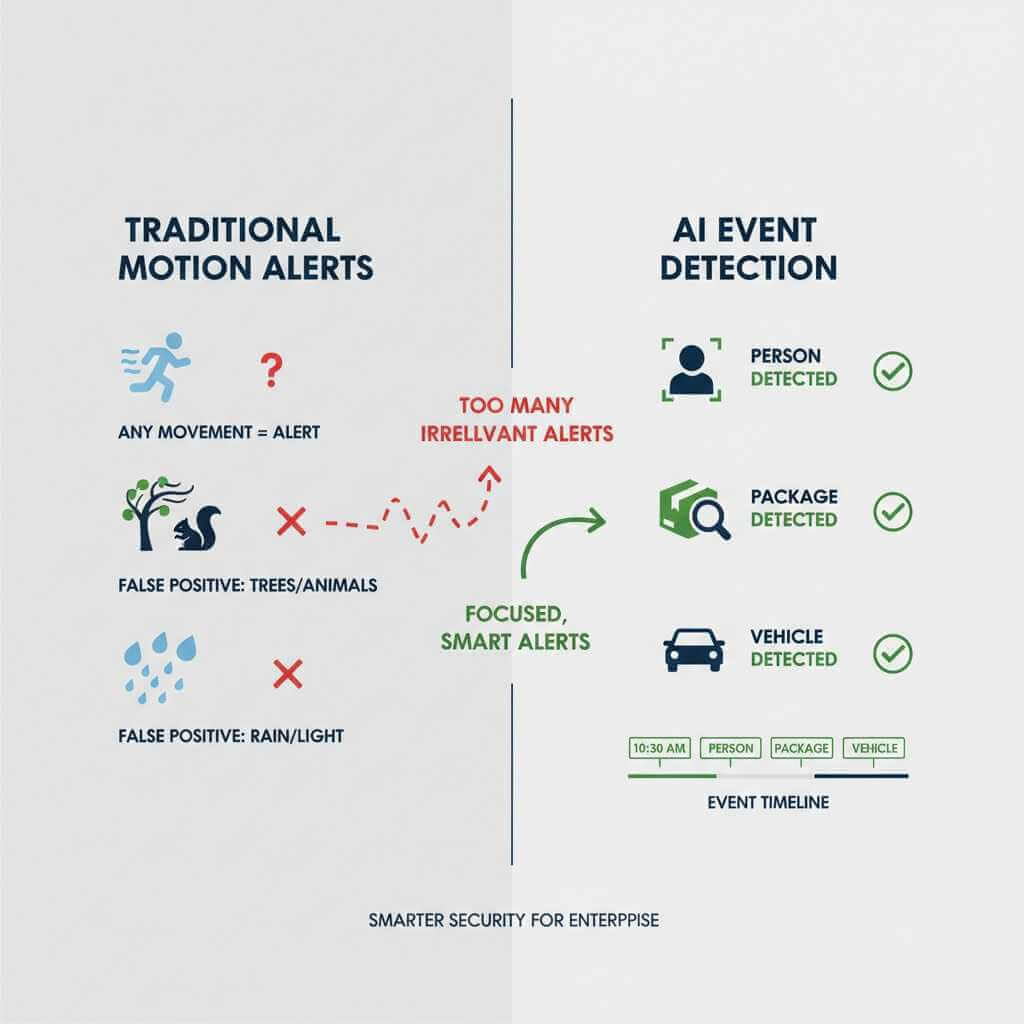
Traditional camera monitoring was passive — you watched footage after something happened. AI security cameras 2025 change that model entirely. Your phone now receives:
- Real-time person, pet, vehicle, and package detection
- Context-aware alerts instead of generic motion warnings
- Instant playback suggestions based on AI event tagging
Apps like Reolink, Wyze, and Lorex rely on both camera-side and phone-side AI processing. Flagship phones accelerate this using dedicated NPUs and GPUs.
Why Flagship Phones Matter
Midrange phones can view streams. Flagships can process them.
High-end chipsets like Qualcomm’s Snapdragon 8 Elite, Apple’s A18 Pro, and Google’s Tensor platforms allow:
- Multiple simultaneous camera feeds
- On-device AI filtering (reducing false alerts)
- Smooth decoding of H.264 and H.265 streams
This is the foundation that makes smartphone-based AI video security viable.
Can a Smartphone Replace a Dedicated Security Camera System?
The Honest Answer
A flagship phone will not replace a 24/7 wired NVR system — but it doesn’t need to.
Where phones excel is flexibility:
- Temporary monitoring
- Secondary or remote access
- Indoor use cases
- Situational awareness when you’re away
I started thinking about security differently once I realized I wasn’t trying to replace professional systems — I was trying to augment them.
Where Phones Compete Surprisingly Well
| Feature | Flagship Phone | Dedicated Camera |
|---|---|---|
| AI alerts | Excellent | Excellent |
| Multi-user access | Easy | Often limited |
| Two-way audio | Built-in | Sometimes limited |
| Portability | Excellent | Fixed |
| 24/7 recording | ❌ | ✅ |
For many households, especially apartments and small homes, phones paired with AI security cameras 2025 are already “good enough.”
Real-Time IP Camera Processing: What Phones Can Actually Handle
Testing Real-World Camera Feeds
I tested multiple IP cameras streaming simultaneously across flagship phones. What surprised me wasn’t peak performance — it was consistency.
- Single 1080p stream: effortless on all flagships
- Four simultaneous streams: smooth on premium devices
- Six streams: only top-tier phones handled it reliably
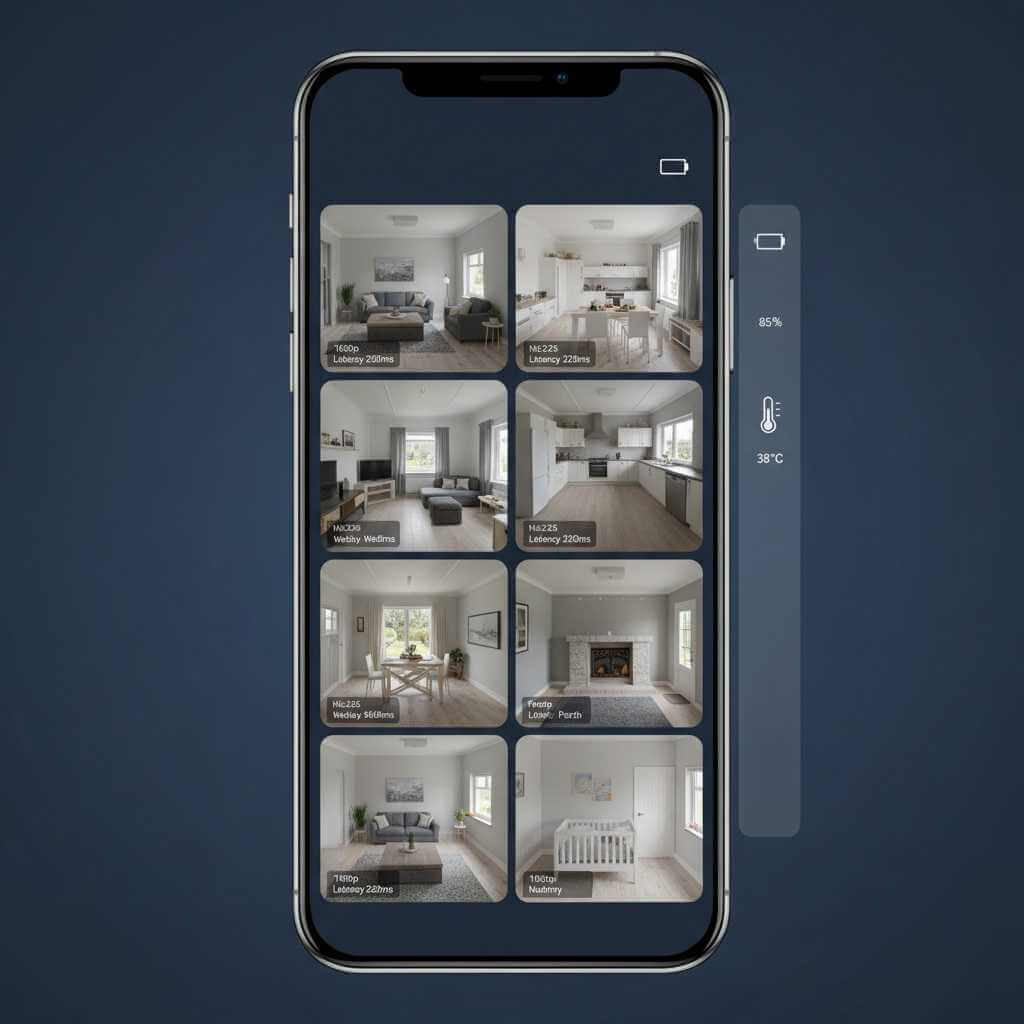
Latency mattered more than resolution. WebRTC-based streams consistently delivered sub-400ms delay, which feels close to real-time.
Streaming Protocols Explained
- WebRTC – Best for real-time alerts and monitoring
- RTSP – Flexible, slightly higher latency
- HLS – Stable but delayed
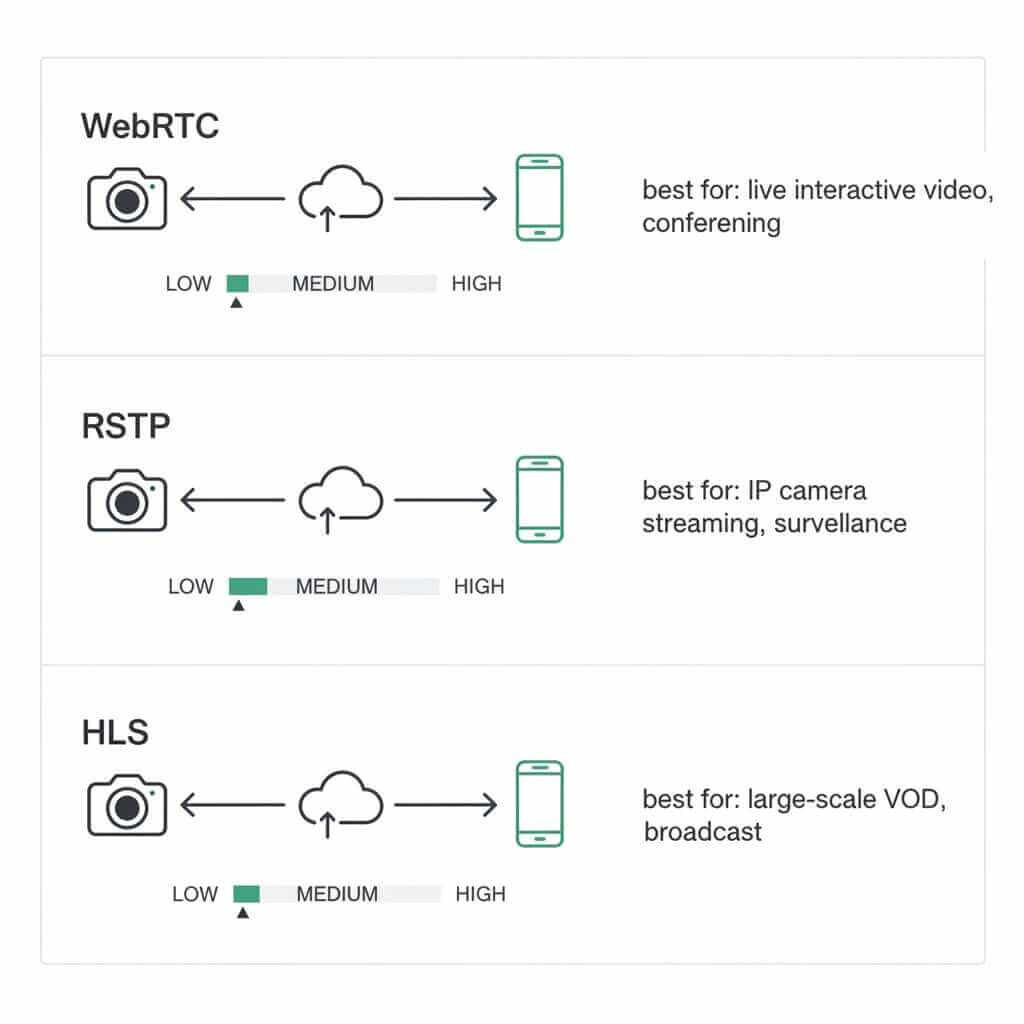
Most modern AI security cameras 2025 automatically choose WebRTC when available, which is why app choice matters.
Best Security Apps for Flagship Smartphones
Reolink: Power and Control
Reolink impressed me the most during extended testing.
Strengths:
- Excellent multi-camera grid view
- Reliable AI detection
- Strong performance on both Android and iOS
Limitations:
- Slightly more complex setup
- Cloud storage is optional but paid
Best for advanced users and small businesses.
Wyze: Simplicity and Value
Wyze remains one of the easiest entry points into AI security cameras 2025.
Strengths:
- Extremely fast setup
- Affordable hardware
- Good ecosystem integration
Limitations:
- AI features locked behind subscription
- Slightly slower live view
Best for casual home monitoring.
Lorex: Budget Trade-Offs
Lorex works — but with compromises.
Strengths:
- Lower upfront cost
Limitations:
- Less reliable app experience
- Limited mobile AI features
Only recommended if budget is the top priority.
Android 16 vs iOS 18 for AI Security Cameras 2025: Which OS Is Better?
Android 16 Advantages
Android 16 surprised me this year, especially with improvements outlined in the official Android Developers documentation and in the official guide on Nothing OS 4.0 guide.
- Native RTSP support
- Better background processing
- More control over codecs
- Superior multi-camera handling
Phones running Android 16 (especially Samsung’s One UI) feel purpose-built for continuous monitoring. Many Android flagships benefit from advanced OS features — for example, OPPO’s ColorOS 16 is pushing responsiveness and AI integration.
Phones running Android 16 are pushing usability further — for example, the rollout of OriginOS 6 demonstrates how this OS layer leverages Android 16’s capabilities.
iOS 18 Strengths
iOS remains incredibly efficient, backed by Apple’s ongoing platform optimizations detailed on the official Apple iOS platform overview
- Better battery predictability
- Cooler sustained performance
- Tighter app quality control
- Seamless HomeKit integration
For single or dual-camera setups, iPhones deliver a very polished experience.
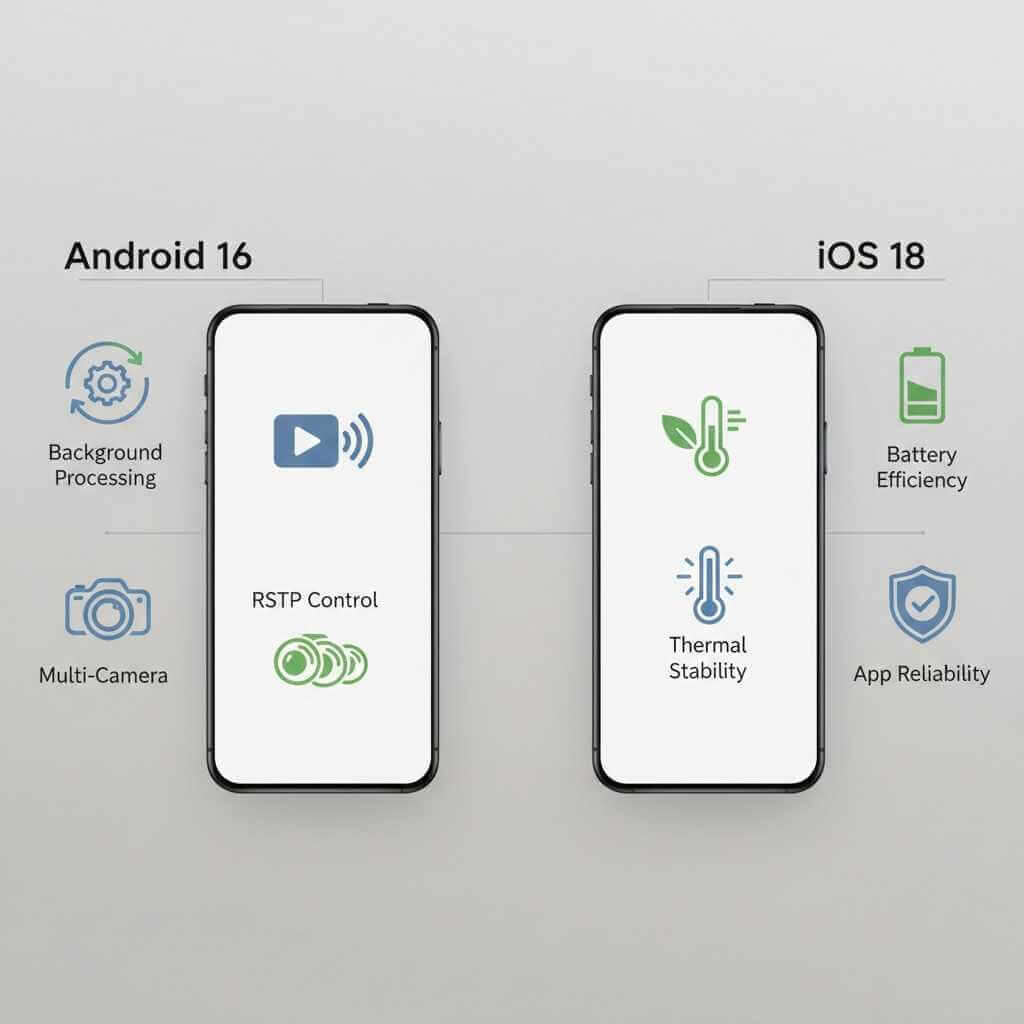
Verdict
Neither OS is universally better. Android excels in flexibility; iOS excels in stability. Both fully support modern AI security cameras 2025.
Step-by-Step: Connecting IP Cameras to Your Phone
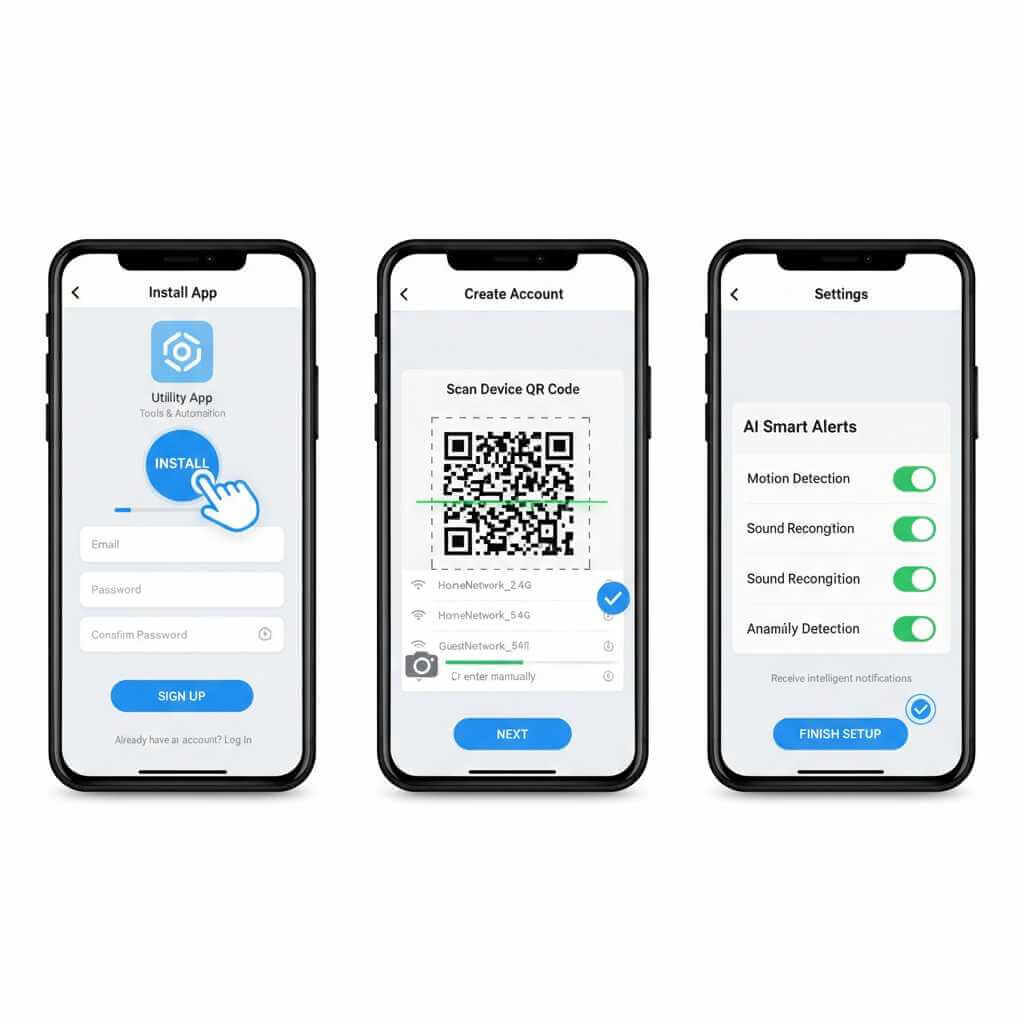
Basic Setup (Beginner Friendly)
- Install the camera app from the App Store or Google Play
- Create an account
- Scan the camera’s QR code
- Connect to Wi‑Fi
- Enable AI alerts
Total setup time: 5–10 minutes per camera.
For users seeking enterprise-grade AI detection without enterprise infrastructure, cloud platforms like Coram.ai transform any existing IP camera setup into an intelligent security system accessible directly from your smartphone.
Unlike point-solution apps, Coram analyzes feeds from diverse cameras—budget Ring systems, professional Bosch equipment, or older legacy cameras—and delivers AI-powered alerts for threats like unauthorized access or suspicious behavior.
The platform’s key advantage is its plain-English search capability (“show me anyone in dark clothing near the entrance”), which significantly reduces investigation time compared to traditional frame-by-frame scrubbing. When accessed through flagship phones like the Pixel 10 Pro or Galaxy S25 Ultra, Coram’s cloud AI processes complex scene analysis while the device’s neural engine handles local push notifications—creating a hybrid processing model that balances speed and accuracy.
If the built-in AI from consumer camera apps isn’t enough, there’s a middle path between ‘basic app setup’ and ‘DIY RTSP’: adding a cloud AI layer on top of your existing cameras.
Advanced Setup (RTSP for Power Users)
For lower latency and local control—using protocols such as RTSP:
- Find your camera’s IP address via router
- Copy the RTSP stream URL
- Open it in VLC or compatible app
- Monitor locally with minimal delay
⚠️ Only use RTSP locally or with encryption.
AI Security Cameras 2025 in Real Life: Use Case Scenarios
Elderly Parent Monitoring
Smartphone monitoring shines here.
- Immediate alerts
- Two-way audio
- Low setup complexity
For daytime monitoring, this approach is both affordable and reliable.
Pet Monitoring While at Work
This is where I personally found the most value.
- Quick live check-ins
- AI pet detection
- Minimal battery drain
It’s reassuring without being intrusive.
Small Business Surveillance
Phones work best as secondary monitoring tools.
- Great for remote checks
- Not ideal for compliance or insurance
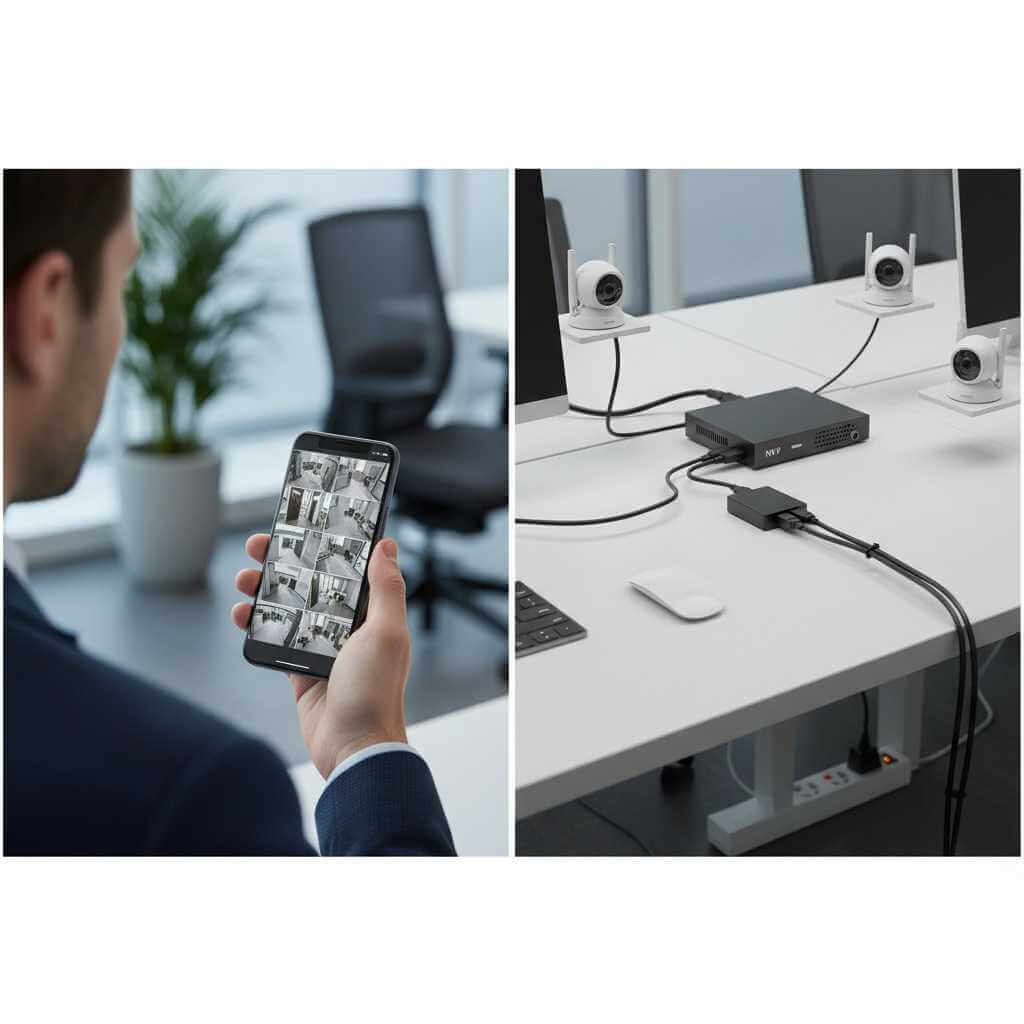
Pairing phones with an NVR system creates a powerful hybrid setup. When evaluating the performance of AI processing on flagship smartphones like in our real-world tests, devices such as the OPPO Find X9 Pro showcase what premium hardware can handle.
Can Flagship Phones Replace $400 Cameras?
Yes — In These Scenarios
- Temporary monitoring
- Indoor use
- Budget-conscious setups
- Secondary access
No — In These Scenarios
- 24/7 outdoor surveillance
- Insurance-required systems
- Mission-critical environments
The smartest setups combine both. Even fan-edition models such as the Samsung Galaxy S25 FE show how flagship phones are embracing advanced processing that benefits use cases like smartphone-based monitoring. Before trusting AI alerts and summaries on your phone, it helps to understand where the processing happens—here’s a simple explanation of hybrid on-device vs cloud AI on flagship phones
FAQ: AI Video Security on Smartphones in 2025
Q: Can flagship smartphones really handle AI security cameras in 2025?
Yes. Modern flagship phones have powerful CPUs, GPUs, and AI engines that can decode live video streams, run AI-based motion and object detection, and handle multiple camera feeds simultaneously. For everyday monitoring, flagship phones work exceptionally well with AI security cameras 2025.
Q: How many security cameras can one smartphone monitor at the same time?
Most flagship phones can comfortably monitor 1–4 cameras at 1080p. High-end models can handle up to 5–6 simultaneous feeds before performance or battery life becomes a concern. The exact number depends on resolution, app optimization, and streaming protocol.
Q: Is Android 16 or iOS 18 better for smartphone security monitoring?
Android 16 is better for advanced users who need background monitoring, RTSP access, and multi-camera control. iOS 18 is ideal for users who prioritize battery efficiency, app stability, and HomeKit integration. Both platforms fully support modern AI security cameras 2025.
Q: Do I need a subscription to use AI security camera features?
Basic live viewing is usually free. Advanced AI features such as person, pet, vehicle, or package detection often require a subscription, depending on the camera brand. Some systems offer local AI processing with no monthly fee, while others rely on cloud-based AI services.
Q: How much battery does security monitoring consume on a smartphone?
Continuous monitoring typically drains 4–8% battery per hour, depending on screen usage, resolution, and app optimization. Occasional check-ins and alerts consume far less power and can last all day on most flagship phones.
Q: Is smartphone-based security safe and private?
Yes, when using reputable apps and encrypted connections. Most modern AI security cameras 2025 use HTTPS, encrypted cloud access, or secure local streaming. Avoid exposing RTSP streams to the internet without encryption, and always enable two-factor authentication where available.
Q: Can I monitor my cameras when I’m away from home?
Absolutely. Most security apps allow secure remote access through cloud services without requiring manual port forwarding. You simply log into your account on your phone to view live feeds from anywhere.
Q: Is 1080p resolution enough for security monitoring?
For most use cases, yes. 1080p provides clear visibility for faces, pets, and indoor activity. Higher resolutions like 2K or 4K are useful for larger spaces or identifying fine details, but they consume more battery and data.
Q: Can I use an old smartphone as a dedicated security camera?
Yes. Older smartphones can be repurposed as cameras using IP camera or RTSP apps. This is a cost-effective way to expand a security setup and works well alongside newer flagship phones for viewing and monitoring.
Q: Are smartphones suitable for 24/7 security monitoring?
Not on their own. Battery limitations make smartphones unsuitable for continuous, 24/7 monitoring. They work best as monitoring and control devices paired with dedicated cameras that handle continuous recording.
Q: Who benefits most from smartphone-based AI security?
Smartphone-based security is ideal for elderly parent monitoring, pet cameras, apartments, travel check-ins, and small business owners who need remote visibility. For these scenarios, AI security cameras 2025 combined with flagship phones offer an excellent balance of cost, flexibility, and performance.
Conclusion: The Future of Smartphone Security
Flagship smartphones have quietly become some of the most capable security tools available in 2025. When paired with AI security cameras 2025, they offer flexibility, intelligence, and accessibility that traditional systems struggle to match.
They won’t replace professional installations — and they shouldn’t. But for everyday monitoring, remote awareness, and peace of mind, your phone might already be the best security device you own.
If you haven’t tried smartphone-based monitoring yet, start small. Add one camera. Test it for a week. You may be surprised how far this technology has come.