Table of Contents
TL;DR
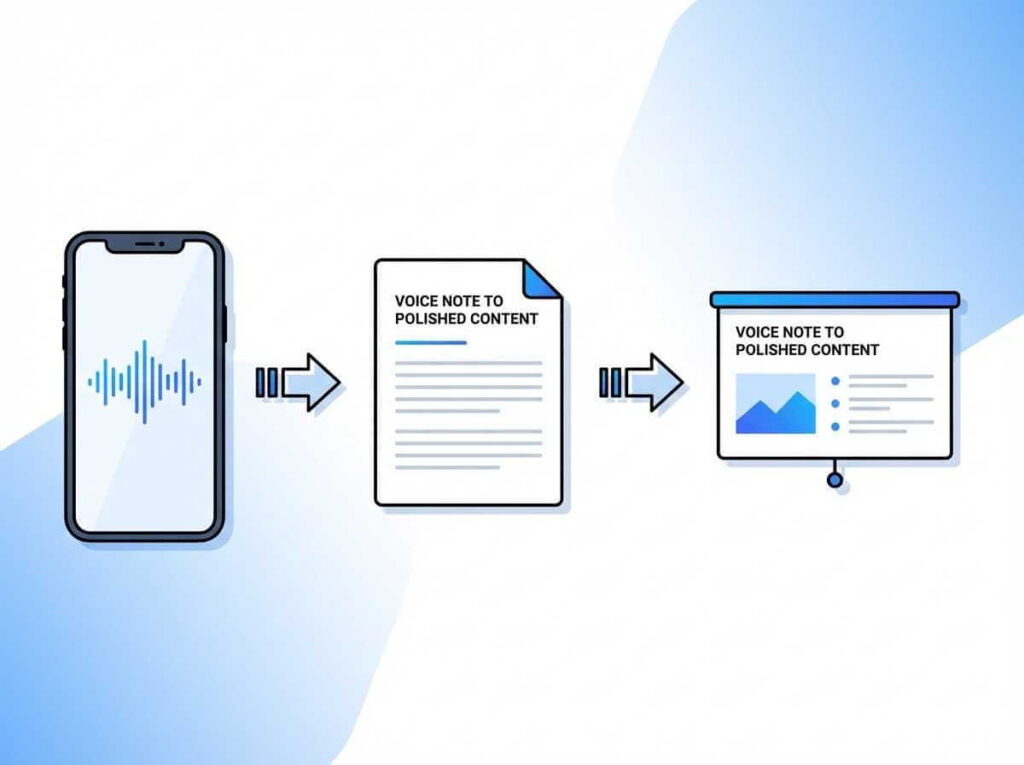
This guide shows a simple three-step voice notes to content workflow—capture ideas instantly on your phone, convert the audio into clean text, then use an AI speech-writing tool to polish everything into professional, presentation-ready content in minutes, not hours.
Voice Notes to Content Introduction
Have you ever had a brilliant idea hit you while driving, walking, or lying in bed at night, only to forget it by the time you sat down to write? You’re not alone. The frustration of losing creative insights is universal, but what if I told you there’s a seamless way to capture those fleeting thoughts and transform them into presentation-ready content without ever touching a keyboard?
As someone who’s spent years perfecting the art of note-taking and content creation, I’ve discovered that the secret to producing polished, professional content isn’t about typing faster—it’s about working smarter. The modern content creator’s workflow has evolved beyond traditional writing methods, embracing voice technology and artificial intelligence to bridge the gap between raw ideas and finished products. This comprehensive guide will walk you through my proven three-step process for converting voice notes to content that’s ready to impress your audience.
Great ideas don’t arrive when the laptop is open—they show up mid-walk, in the car, or between meetings—so this article starts with a simple smartphone workflow for capturing them on the spot. On Android, record quick voice notes with a dedicated voice recorder app (or any reliable voice memo app), and on iPhone you can do the same with a voice recording app that’s always one tap away, so nothing gets lost before you’re ready to write. Then you convert the audio into clean, readable text, and finally run that transcript through an AI speech-writing tool to turn your raw thoughts into polished, presentation-ready content that still sounds like you.
Why Voice Capture Changes Everything
The human brain processes thoughts faster than fingers can type. We speak at approximately 150 words per minute but type at only 40 words per minute on average. This gap means we’re constantly throttling our natural thought process to match our typing speed, often losing the spontaneity and authenticity that make content engaging.
Voice capture eliminates this bottleneck entirely. When you speak your ideas aloud, you maintain the natural flow of conversation, capture emotional nuances, and preserve the storytelling elements that resonate with readers. More importantly, you can create content anywhere—during your morning commute, while exercising, or even while doing household chores. The freedom to capture ideas in the moment, rather than waiting for designated “writing time,” means you’ll never lose another brilliant thought.
Step 1: Capturing Your Voice with the Right Tools
Android Voice Recording Apps
For Android users, several powerful applications make voice capture effortless. Voice Recorder & Voice Memos stands out as a robust option available on Google Play, offering high-quality audio recording with a user-friendly interface. The app allows you to record unlimited audio files and organize them with custom labels, making it easy to sort ideas by project or topic.

Another excellent choice is ASR Voice Recorder, which combines recording capabilities with automatic transcription features. This dual functionality means you can review your ideas quickly without listening to entire recordings. For professionals who need advanced features, Notta provides multilingual support and real-time transcription directly on your Android device.
iOS Voice Recording Options
iPhone users have equally impressive options. The built-in Voice Memos app offers seamless integration with iCloud, ensuring your recordings sync across all Apple devices. Its simplicity is deceptive—behind the clean interface lies powerful recording technology that captures crystal-clear audio even in challenging environments.
Just Press Record takes iOS voice capture to another level with its one-tap recording feature and offline transcription capabilities. At a one-time cost of $4.99, it’s an investment that pays dividends for anyone serious about capturing ideas on the go. The app’s iCloud synchronization means you can start recording on your iPhone and access the file instantly on your iPad or Mac.
For creators who want advanced organization features, Voice Memo AI provides on-device processing for enhanced privacy while offering intelligent categorization of your recordings. This is particularly valuable when you’re managing multiple projects simultaneously and need to keep your ideas organized without manual sorting.
Best Practices for Voice Recording
Recording quality directly impacts the effectiveness of your voice notes to content workflow. Here are the techniques I’ve refined through years of practice:
- Speak in structured sections: Rather than rambling continuously, break your thoughts into distinct segments covering one idea at a time
- Use verbal signposts: Begin recordings with phrases like “This is about…” to provide context when you review later
- Record in quiet environments: Background noise significantly reduces transcription accuracy, which currently averages 95% for clean audio but drops to 80-85% in noisy settings
- Keep recordings focused: Aim for 3-5 minute segments rather than marathon recording sessions, as shorter files are easier to process and organize
Step 2: Transforming Audio into Text
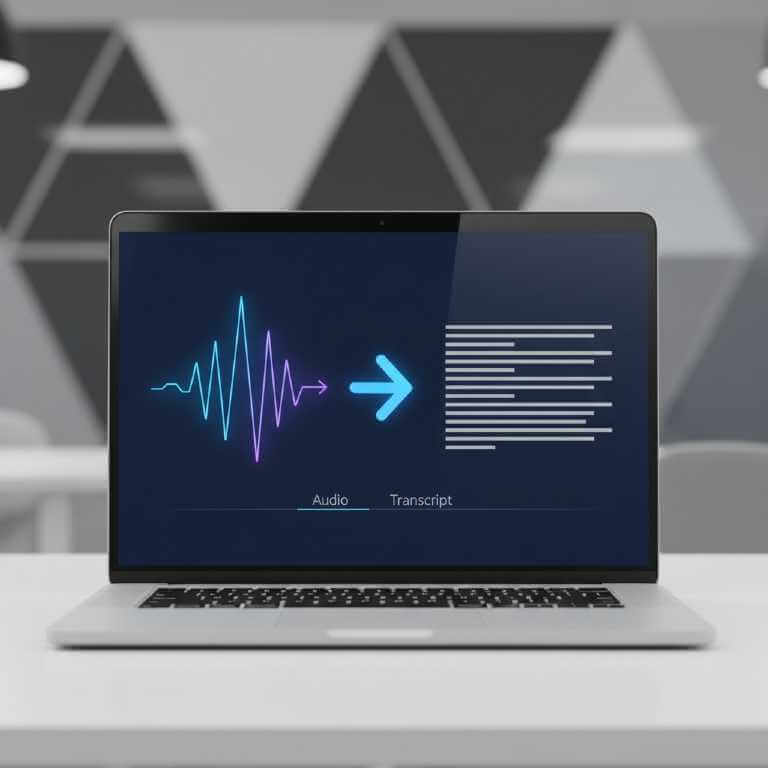
Once you’ve captured your voice notes, the next critical step is transcription. Modern speech-to-text technology has achieved remarkable accuracy, with leading tools reaching 95-96% precision for clear recordings. This level of accuracy means minimal editing is required to transform spoken words into readable text.
Top Transcription Tools and Their Accuracy
The transcription landscape offers diverse options suited to different needs and budgets. Otter.ai leads the market with real-time transcription capabilities and smart meeting summaries, making it ideal for capturing both personal ideas and collaborative discussions. The platform integrates seamlessly with Zoom and Google Meet, automatically transcribing virtual meetings into searchable, editable text.
Rev combines AI technology with human verification to achieve up to 99% accuracy. While the human-assisted option costs more, it’s invaluable when transcribing critical content where every word matters. The purely AI-powered service remains highly competitive, delivering professional-quality transcripts at a fraction of the cost of traditional transcription services.
VoiceToNotes.ai offers comprehensive features including real-time transcription, multilingual support, offline mode, and AI summarization. The platform’s ability to convert raw audio into structured, polished content makes it particularly valuable for content creators who want minimal manual intervention between recording and publishing.
| Tool | Accuracy Rate | Key Features | Best For |
|---|---|---|---|
| Otter.ai | 90-93% | Real-time transcription, meeting integration, speaker identification | Collaborative work and meetings |
| Rev | Up to 99% | AI + human verification, multiple export formats | Critical, high-stakes content |
| VoiceToNotes.ai | 95%+ | Offline mode, AI summarization, content structuring | Content creators and bloggers |
| Notta | 90-95% | Multilingual, cloud storage, team collaboration | International teams |
Maximizing Transcription Quality
To ensure your voice notes to content workflow produces the best results, implement these transcription optimization strategies:
- Break audio into smaller segments: Shorter files process faster and more accurately than lengthy recordings
- Speak clearly with natural pauses: Brief pauses between sentences help transcription algorithms identify sentence boundaries
- Review and correct transcripts: Even with 95% accuracy, a quick review catches the remaining errors and ensures technical terms are spelled correctly
- Train AI with your vocabulary: Many advanced tools learn your speaking patterns and industry-specific terminology over time, improving accuracy with continued use
Step 3: Polish Your Content with AI Speech Writer Services
Raw transcripts, while readable, rarely qualify as presentation-ready content. The natural speech patterns we use when talking—including filler words, tangential thoughts, and informal phrasing—need refinement before becoming professional written content. This is where AI speech writer services transform your voice notes to content that’s truly polished.
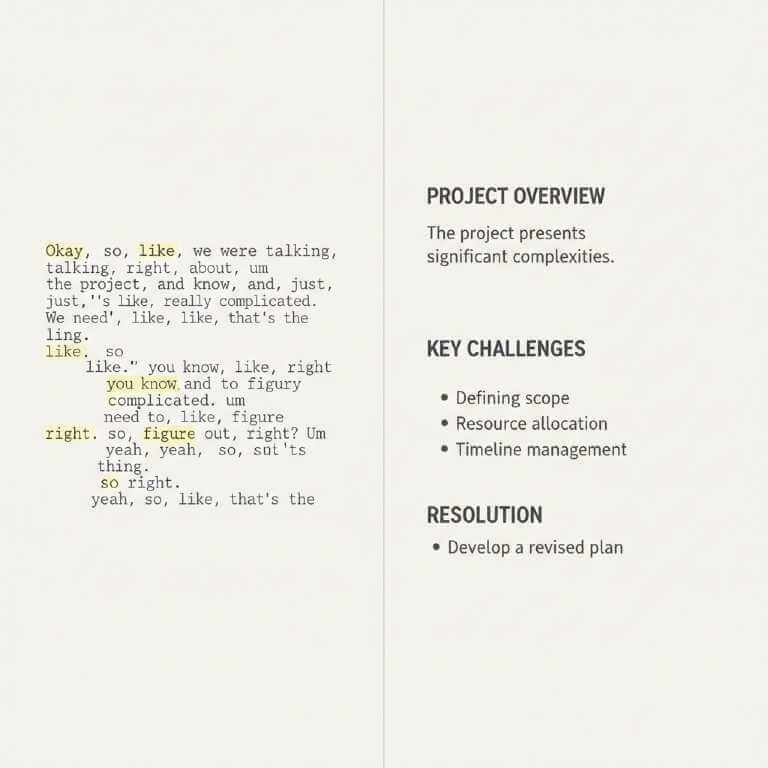
This is the final step—and, honestly, it’s the make-or-break moment. After testing a few AI speech writers, I stuck with one that consistently gives me what I need: polished, presentation-ready content in minutes, not hours. This AI speech writer doesn’t just reshuffle my transcript; it structures the message, pulls out the key points, and polishes the language so it sounds confident and professional—while still keeping my voice authentic.
When you look at the whole workflow, it’s pretty wild: I can go from a quick voice note about a half-formed idea to a clean piece of writing I can use in a talk, a blog post, or a script—without getting stuck staring at a blank page. And the best part is how lightweight it is: a smartphone, one recording app, and one service to turn a solid idea into something share-worthy.
My Personal AI Content Refinement Process
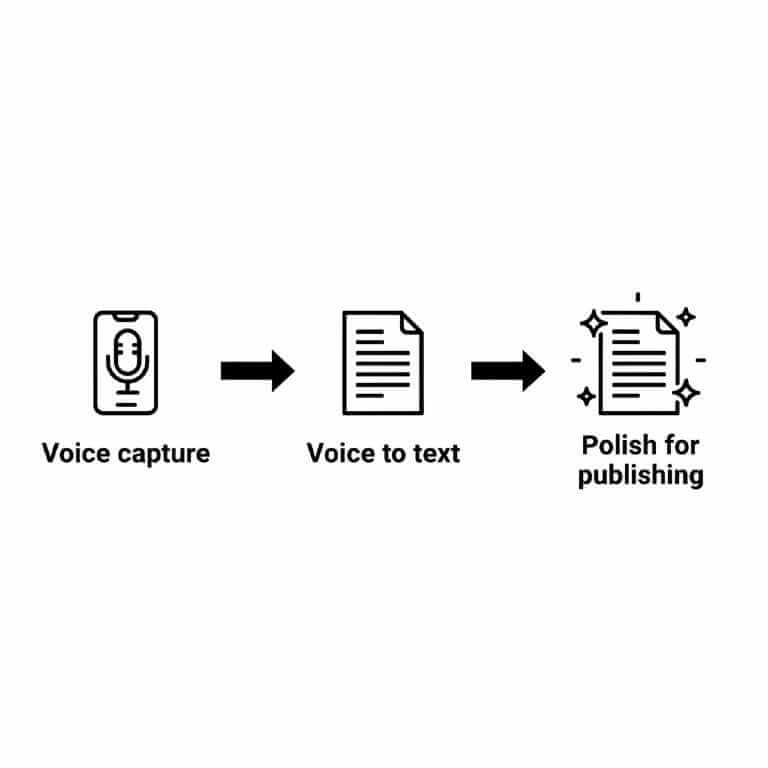
After testing numerous AI speech writer services, I’ve developed a systematic approach that consistently produces professional results. Here’s the exact workflow I use to transform voice notes to content:
Initial AI Processing: I feed my transcript into HyperWrite or Skywork with specific instructions about tone, target audience, and content structure. For a blog post, I might request “Convert this transcript into an informative blog post with an engaging introduction, three main sections with subheadings, and a call-to-action conclusion.”
Content Enhancement: The AI identifies the main themes in my rambling speech and organizes them into logical sections. It removes filler words like “um,” “you know,” and “like” while preserving my authentic voice and key phrases that give the content personality.
Adding Structure: AI tools excel at creating scannable content by breaking long paragraphs into digestible chunks, adding subheadings, and incorporating bullet points. This transforms stream-of-consciousness speaking into reader-friendly writing that holds attention.
Final Human Touch: While AI does the heavy lifting, I always review the output to ensure accuracy and add personal examples or specific details that make content resonate. This combination of AI efficiency and human authenticity produces the best results.
Creating Logical Flow in Your Content
The difference between mediocre content and exceptional content often comes down to flow. Even perfectly transcribed and AI-polished text falls flat without logical progression that guides readers smoothly from one idea to the next.
Organizing Ideas Effectively
Start by grouping similar concepts together. After transcribing your voice notes, review the content and highlight overlapping ideas. Sort these into categories or subtopics—you’re essentially turning randomness into structure. This organizational step is crucial because spoken thoughts rarely emerge in perfect sequence.
Use transitional phrases to connect sections and maintain momentum. Phrases like “Building on this idea,” “Next, let’s examine,” or “This leads us to” create bridges between concepts that might otherwise feel disjointed. These transitions are often missing in raw transcripts but are essential for professional writing.
Structuring for Readability
Visual presentation significantly impacts how readers engage with your content. Break up long paragraphs by aiming for 3-4 sentences maximum. Add subheadings to create scannable sections that let readers quickly find information relevant to their needs.
Incorporate bullet points and numbered lists to make complex information digestible. When presenting multiple related points, lists provide visual breathing room and help readers process information more efficiently than dense paragraphs.
Overcoming Common Challenges
Converting voice notes to content isn’t without obstacles. Understanding common pitfalls helps you avoid them and maintain a smooth workflow.
Challenge: Rambling transcripts: Solution: Use AI prompts that specifically request “extract key points and organize them into a coherent structure”. This directs the AI to focus on substance rather than transcribing every tangent.
Challenge: Loss of authenticity: Solution: Don’t let AI completely rewrite your content. Start with AI for structure and polish, but retain phrases and examples that reflect your unique perspective and speaking style.
Challenge: Technical accuracy: Solution: Always fact-check AI-generated enhancements. While modern AI is remarkably capable, it occasionally introduces errors or makes assumptions that need verification.
Maximizing Your Voice Notes to Content Workflow
The efficiency of this three-step process is transformative. What traditionally took two hours of writing now takes ten minutes of speaking plus minimal editing time. This 90% reduction in content creation time allows you to produce more content, maintain consistency, or simply reclaim hours for other priorities.
Batch recording sessions: Dedicate 30 minutes to recording multiple voice notes on different topics. Process them together to maximize efficiency and maintain momentum.
Create content templates: Develop AI prompts for different content types—blog posts, social media content, email newsletters—so you’re not starting from scratch each time.
Build a content library: Archive your transcripts and polished content for future reference and repurposing. A single comprehensive voice note might become a blog post, social media series, and email newsletter with minimal additional effort.
Voice To Notes: FAQ
Q1: What’s the fastest way to turn voice notes to content?
Record the idea as a quick voice note, transcribe it into text, then polish that transcript into a structured draft (headings, bullet points, transitions) with an AI writing step.
Q2: Do voice notes work better than typing for capturing ideas?
Often yes—voice capture keeps momentum when ideas arrive on the move, and you can clean up structure later during transcription and editing.
Q3: How accurate is speech-to-text in real life?
Accuracy varies a lot by audio quality; in noisy environments, speech-to-text can drop into roughly the 70–85% range, which increases cleanup time.
Q4: What makes transcription more accurate?
Record closer to the mic, reduce background noise, speak in short sections, and pause naturally between thoughts; these habits reduce errors and make editing faster.
Q5: Should transcripts be edited before the AI polishing step?
A quick pass helps: fix obvious misheard words (names, tools, jargon) and remove repeated filler lines so the AI doesn’t “polish” mistakes into something that looks confidently wrong.
Q6: Will AI ruin my tone or make it sound generic?
It can—unless you guide it. Keep your original phrases that sound like you, and prompt the AI to “preserve my voice, keep it conversational, remove filler, and improve structure.”
Q7: How do I keep the final article logically structured?
Use a simple framework: (1) problem, (2) why voice helps, (3) the 3-step workflow, (4) common mistakes, (5) a repeatable checklist—then add clear transitions between sections.
Q8: How many images should this type of article include?
Usually 5–7 images is enough: a hero image + one visual per major step (capture, transcribe, polish) + a simple workflow diagram.
Q9: What should image alt text and filenames look like for SEO?
Use descriptive filenames and helpful alt text that matches what’s in the image and relates to the surrounding paragraph; Google recommends descriptive filenames/alt text and placing images near relevant text.
Q10: Should the keyword voice notes to content be in every image alt text?
No—use it only where it fits naturally. Overusing the same keyword in alt text can read spammy; aim for accuracy and clarity first.
Taking Action: Your Next Steps
The voice notes to content workflow represents a fundamental shift in how we approach content creation. By separating the creative capture phase from the refinement process, you leverage your brain’s natural strengths while letting technology handle the tedious transformation work.
Start small if the full workflow feels overwhelming. Begin with just capturing voice notes for a week without worrying about transcription. Once you’re comfortable recording regularly, add the transcription step. Finally, experiment with AI speech writers to refine your output. This graduated approach builds confidence and helps you discover which tools work best for your specific needs.
The barrier between having ideas and sharing them with the world has never been lower. Modern voice capture apps, accurate transcription services achieving 95%+ accuracy, and sophisticated AI speech writers work in concert to transform casual thoughts into presentation-ready content. Whether you’re a blogger, business professional, educator, or anyone who struggles with the writing process, this workflow offers a path to consistent, high-quality content creation.
Stop letting brilliant ideas evaporate because “you’ll write them down later.” Pull out your phone, hit record, and start speaking. Your next great piece of content is just a conversation away.