Table of Contents
TL;DR
- Removing a watermark from video used to mean cropping, blurring, or hours of manual frame-by-frame editing—often at the cost of quality.
- Modern AI video watermark remover tools use AI inpainting and deep learning to analyze surrounding frames and realistically reconstruct hidden pixels.
- AI can remove watermark from video with 95–99% accuracy, preserving resolution, motion, and visual consistency.
- Best use cases include content repurposing, archival restoration, client projects, and personal videos—always with proper rights and permissions.
- Tools like EaseMate AI, Runway ML, WatermarkRemover.io, and Adobe Firefly offer different levels of speed, control, and professionalism.
- Cloud-based solutions (like EaseMate AI) let editors remove watermark from video quickly without powerful hardware.
- Responsible use matters: ownership, copyright, and attribution should always come first.
- The future of video editing is AI-driven—watermark removal is becoming faster, smarter, and increasingly integrated into professional workflows.
Introduction: The Watermark Problem Every Video Editor Knows
If you’ve edited videos long enough, you’ve faced the same frustrating moment I have: you finally find the perfect clip, only to realize it’s stamped with a watermark. Whether it’s a TikTok logo in the corner, a trial watermark from editing software, or branding baked into archived footage, the challenge is always the same—how do you remove watermark from video without destroying quality or wasting hours?
For years, my workflow relied on workarounds: cropping, blurring, or painfully cloning pixels frame by frame. These methods worked… sometimes. More often, they compromised resolution, broke composition, or ate up half a day for a 30‑second clip. Today, things are different. Thanks to AI inpainting, video editors can remove watermark from video in minutes instead of hours.
In this in-depth guide, I’ll share my real-world experience as a video editor, explain the technology behind AI video watermark remover tools, compare the best platforms (including EaseMate AI), and show you how to remove watermark from video responsibly and professionally. I’ll also give you my honest take on where AI video editing is heading next.
Why Traditional Watermark Removal Still Wastes Time
Before AI, removing a watermark from video was more art than science. Let’s break down why the old methods fall short.
Cropping: The Fastest Way to Lose Quality
Cropping is usually the first trick editors try to remove watermark from video. It’s simple—but costly.
- You lose resolution instantly
- Aspect ratios break (especially 9:16 vertical video)
- Important visual elements near the edges disappear
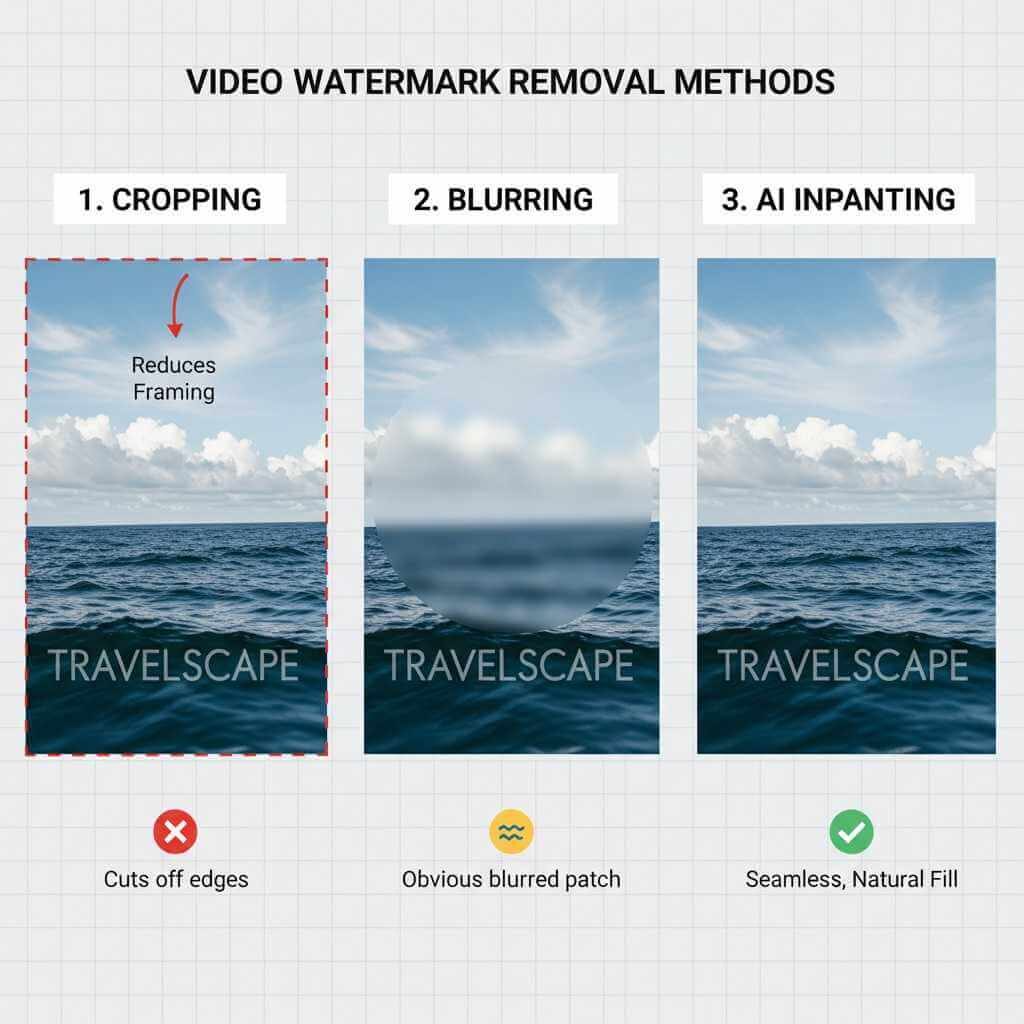
In my experience, cropping to remove watermark from video often makes content unusable for platforms like Instagram Reels or YouTube Shorts, where framing is everything.
Blurring: A Visible Cover-Up
Blurring the watermark area may hide the logo, but it screams “edited.” Viewers notice immediately, especially on high‑resolution screens. Blurring doesn’t truly remove watermark from video—it just masks it.
Manual Frame-by-Frame Editing
Using clone stamp tools or content-aware fill manually can produce good results, but the time cost is brutal. Removing a watermark from video manually can take 2–8 hours depending on motion and background complexity. For batch workflows or social media teams, this approach simply doesn’t scale.
How AI Inpainting Lets You Remove Watermark From Video Cleanly
The real breakthrough came with AI inpainting. Unlike traditional tools, AI doesn’t just copy pixels—it understands them.
How AI Inpainting Works (In Simple Terms)
An AI video watermark remover analyzes:
- Surrounding pixels and textures
- Motion across frames
- Lighting direction and shadows
- Scene context (faces, objects, backgrounds)
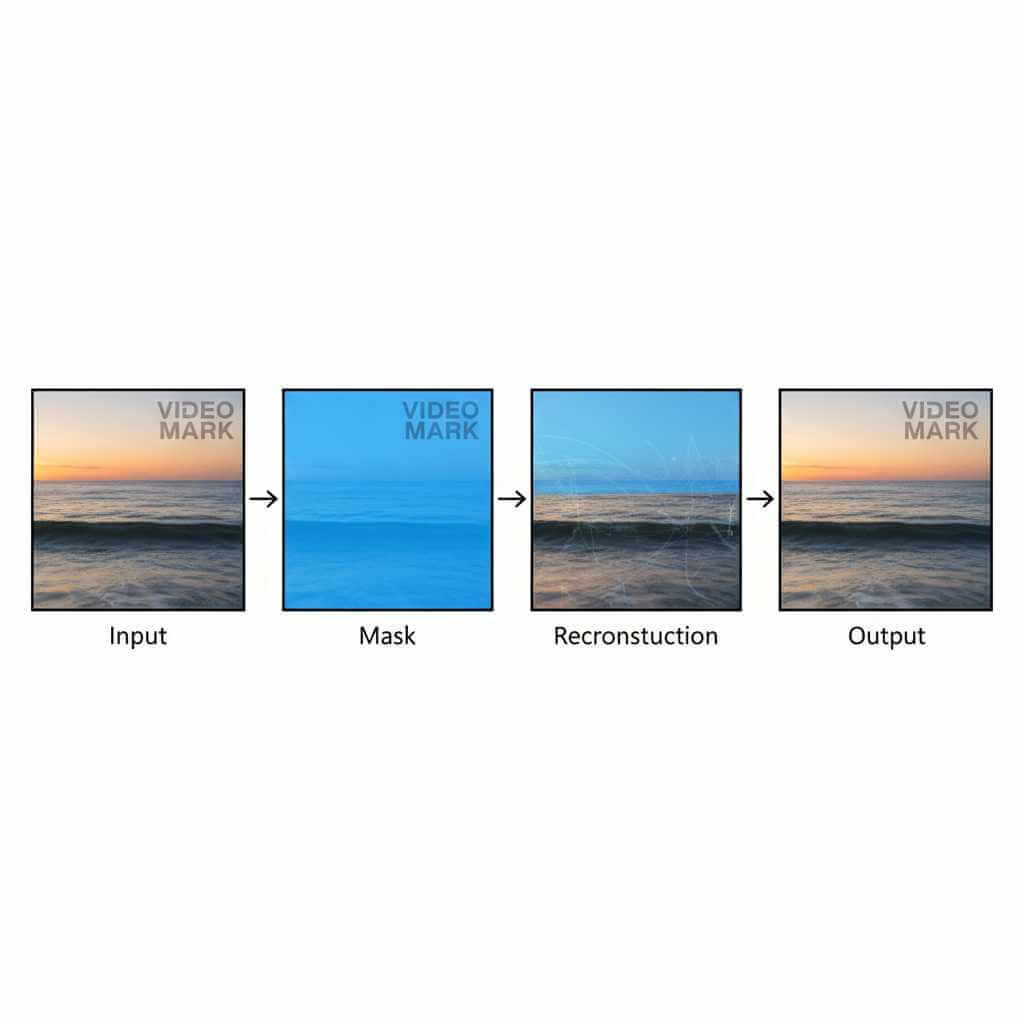
When you remove watermark from video using AI, the model predicts what should exist behind the watermark and reconstructs it frame by frame. This is why results look natural instead of patched.
Why Video Is Easier Than Images
Ironically, removing watermark from video can be easier than from a single photo. Why?
Because AI can reference previous and next frames to understand what’s hidden behind the watermark. This temporal awareness is a massive advantage for video editors.
Deep Learning Behind the Scenes
Most modern tools rely on diffusion models or advanced U‑Net architectures. These models generate new pixels instead of copying old ones, which is why today’s AI video watermark remover tools reach 95–99% visual accuracy in real projects.
When It Makes Sense to Remove Watermark From Video
Based on my editing work, these are the best and most responsible use cases.
Content Repurposing Across Platforms
Creators often need to remove watermark from video when repurposing TikTok clips for Instagram, YouTube Shorts, or client presentations. A clean version simply performs better and looks more professional.
Archival Footage Restoration
Old videos often contain software or platform watermarks. AI makes it possible to remove watermark from video and restore footage for documentaries, reels, or portfolios.
Personal and Client Projects
From GoPro logos to trial watermarks, personal footage frequently needs cleanup. AI tools make removing a watermark from video fast and stress-free.
Important note: Always ensure you own the content or have permission. AI makes it easy—but ethics still matter.
Top AI Video Watermark Remover Tools Compared
Below are the tools I’ve tested or used regularly as a video editor.
EaseMate AI – Simple, Fast, and Editor-Friendly
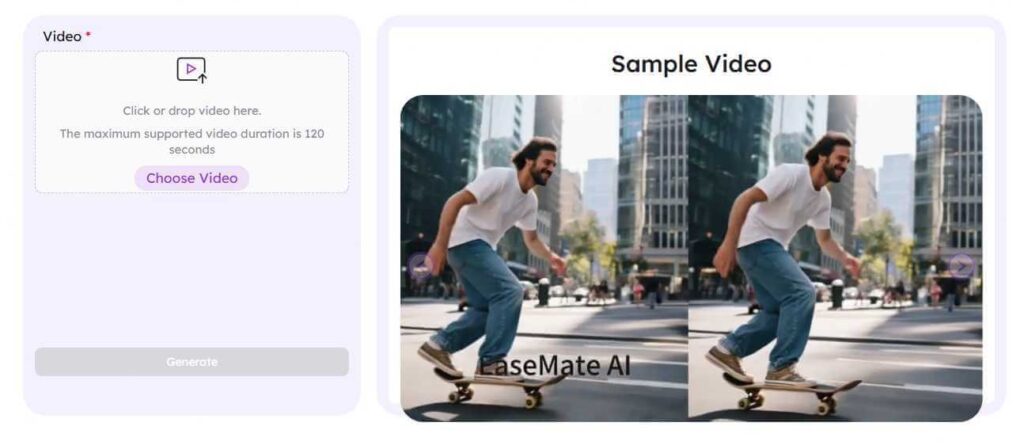
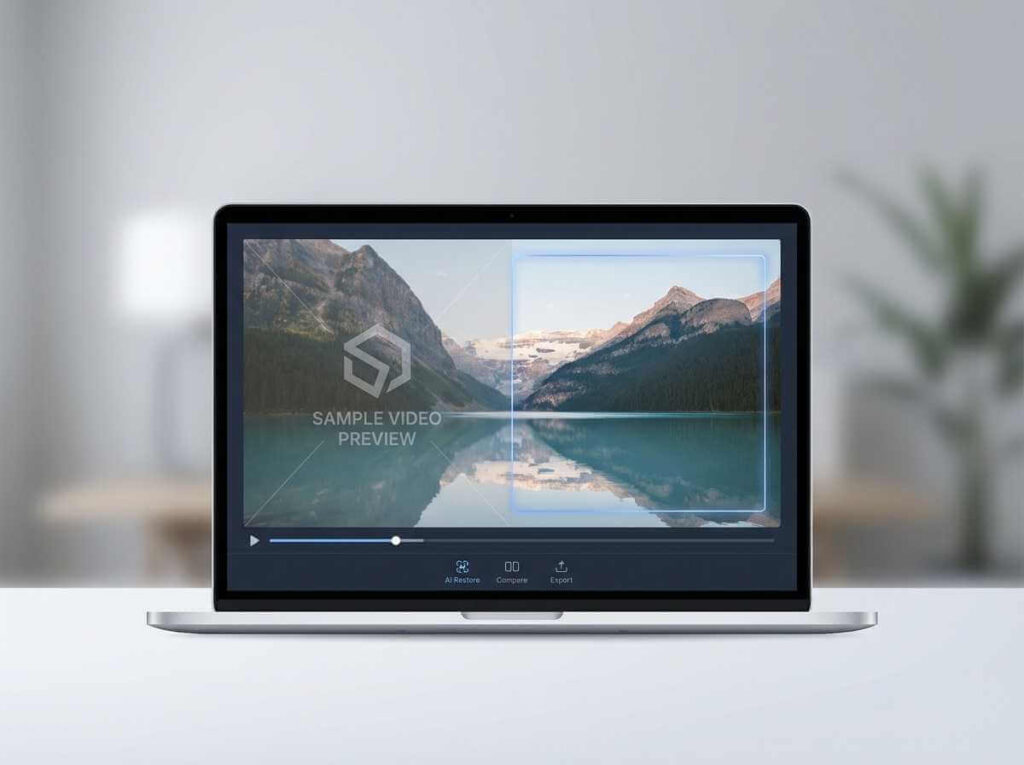
One of the most balanced platforms right now is EaseMate AI. Their main site offers a suite of creative tools, while their dedicated AI video watermark remover lives here:
Why I like it:
- Designed specifically to remove watermark from video
- Cloud-based (no GPU required)
- Handles semi-transparent and moving watermarks
- Very fast processing for short and medium clips
EaseMate AI is ideal if you want to remove watermark from video without juggling multiple apps.
Runway ML – Professional Grade Control
Runway is excellent for complex shots with motion. If you need frame-level control, it’s one of the strongest AI video watermark remover tools available, though it’s slower and more expensive.
WatermarkRemover.io – One-Click Simplicity
Great for quick jobs. You upload, click, and let the AI remove watermark from video automatically. Less control, but very beginner-friendly.
Adobe Firefly & Content-Aware Fill
If you already live inside Premiere Pro or After Effects, Adobe’s tools can remove watermark from video within your existing workflow. Powerful, but tied to Creative Cloud pricing.
AI Video Watermark Remover Comparison Table
| Tool | Best For | Speed | Quality | Skill Level |
|---|---|---|---|---|
| EaseMate AI | Fast all-in-one removal | Very Fast | 95–97% | Easy |
| Runway ML | Professional editing | Medium | 97–99% | Medium |
| WatermarkRemover.io | Quick fixes | Fast | 92–95% | Very Easy |
| Adobe Firefly | Adobe users | Variable | 96–98% | Medium |
Step-by-Step: How I Remove Watermark From Video Using AI
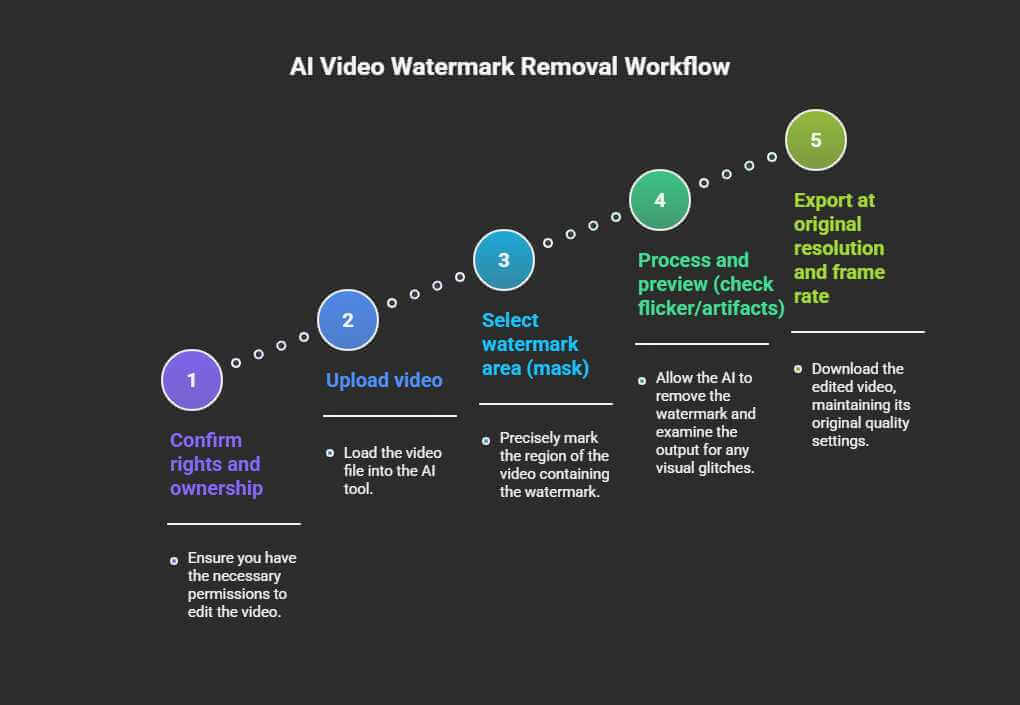
Here’s my practical workflow, whether I’m using EaseMate AI or another AI video watermark remover.
If you’re repurposing creator assets, don’t stop at video cleanup—this guide shows how to transform voice notes to content so your spoken ideas become scripts, posts, and outlines in minutes.
Step 1: Confirm Rights and Ownership
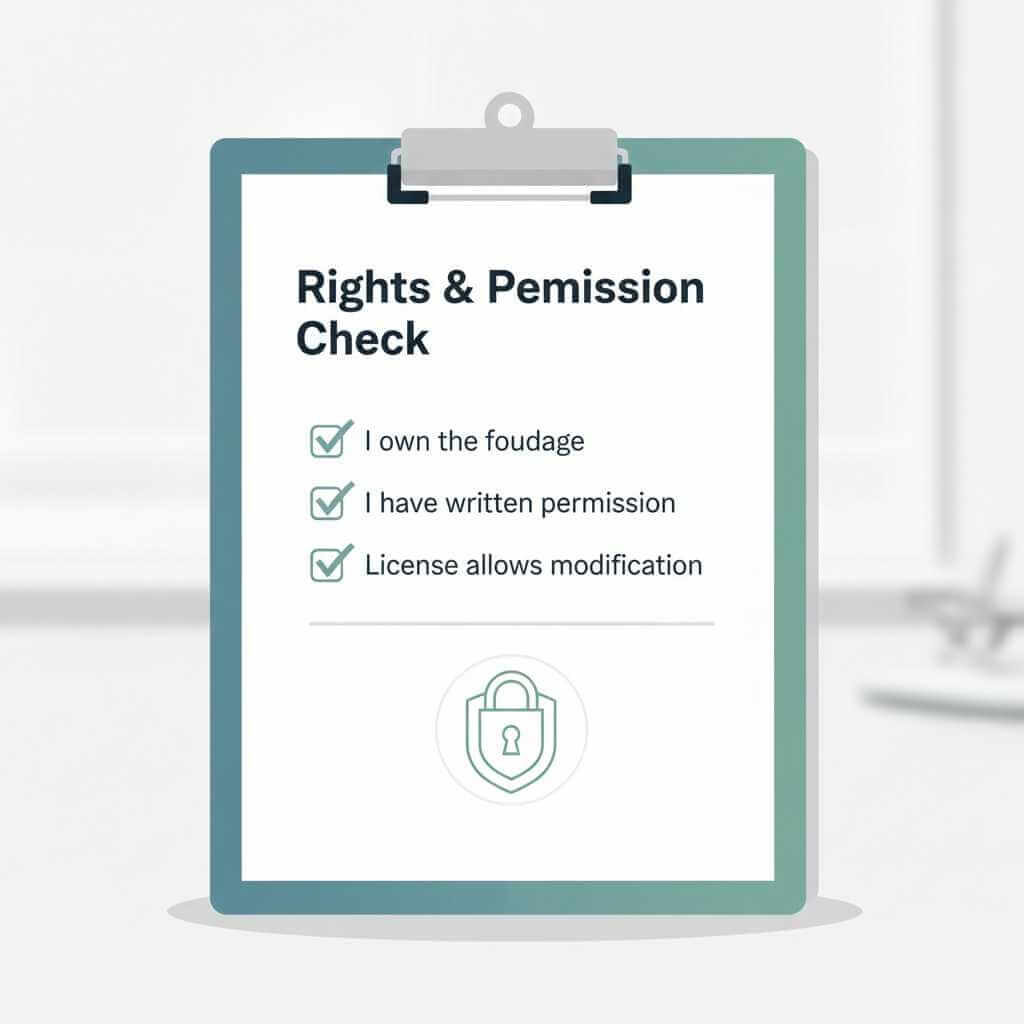
Before you remove watermark from video, make sure:
- You own the footage, or
- You have written permission, or
- The license allows modification
Step 2: Upload the Video
Upload your clip to the AI video watermark remover. Cloud tools like EaseMate AI support common formats like MP4 and MOV.
Step 3: Select the Watermark Area
Use the brush or auto-detection tool to mark the watermark. Slightly overshoot the edges for best results.
Step 4: Process and Preview
Let the AI analyze surrounding frames. Preview carefully—look for flicker, texture mismatches, or color shifts.
Step 5: Export at Original Resolution
Always export at the same resolution and frame rate. This ensures the final video looks untouched.
Pro Tips for Better Results When You Remove Watermark From Video
- Start with the highest-quality source possible
- Avoid re-compressed clips
- Review the output at 2× speed to spot artifacts
- Apply minor color correction if needed
These small steps make a big difference in professional projects.
My Take: The Future of AI Video Editing
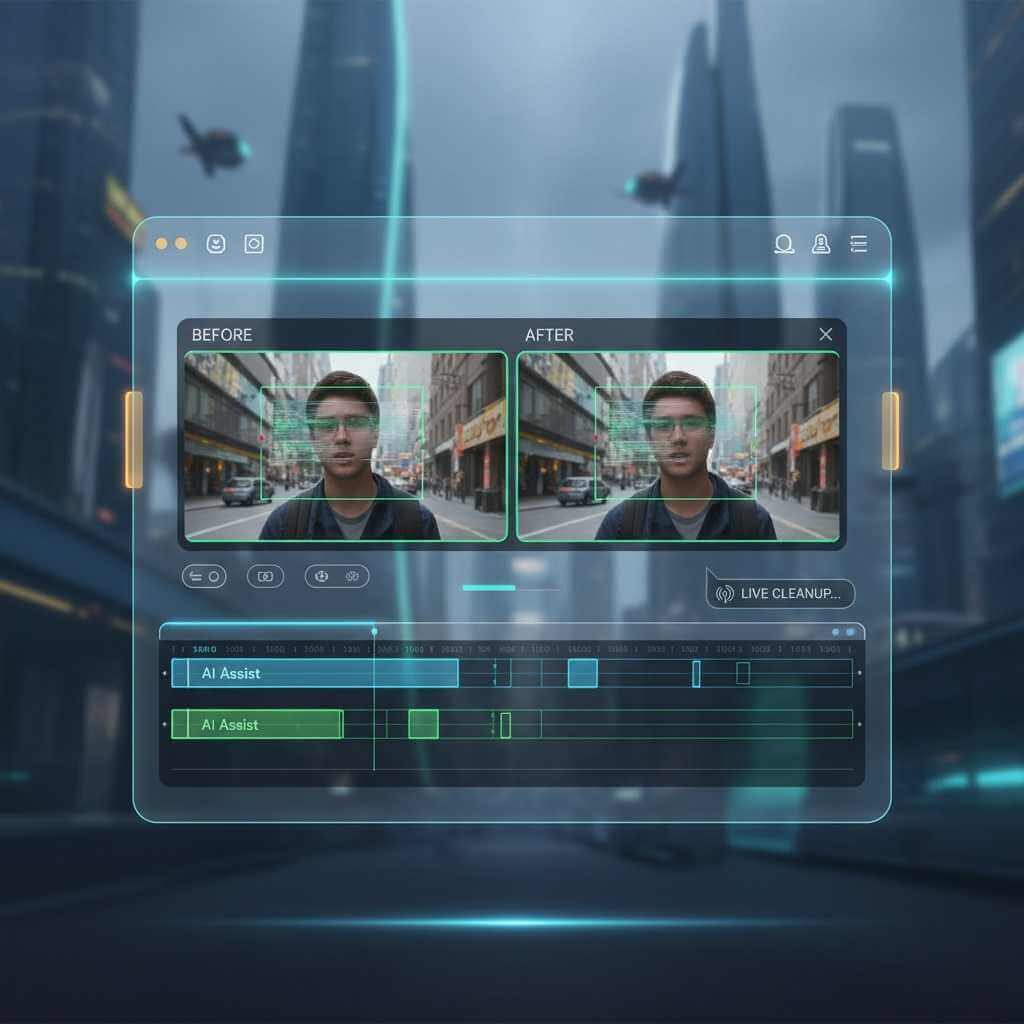
As someone who’s edited videos both before and after AI, I see watermark removal as just the beginning. Soon, AI will:
- Remove watermark from video in real time
- Detect and clean overlays automatically
- Integrate directly into editors like Premiere and Final Cut
Long term, visible watermarks may fade away entirely, replaced by invisible attribution metadata. Editors won’t focus on how to remove watermark from video—but on how to manage rights and credit intelligently.
FAQ: Remove Watermark From Video With AI
Is it legal to remove watermark from video?
Legality depends on ownership and permission. You can legally remove watermark from video if you created the footage yourself, own full rights to it, or have explicit permission from the copyright holder. Removing platform watermarks (such as TikTok, Instagram, or YouTube logos) from content you don’t own can violate copyright law and platform terms of service. AI tools make the process easy, but they don’t change the legal responsibility.
Will removing a watermark damage video quality?
Traditional methods like cropping or blurring almost always reduce quality. Modern AI video watermark remover tools use AI inpainting to reconstruct missing pixels, allowing you to remove watermark from video while preserving resolution, texture, and motion. When the source video is high quality, results typically retain 95–99% of the original visual fidelity.
How does AI actually remove a watermark from video?
AI analyzes the pixels surrounding the watermark across multiple frames. It studies textures, lighting, motion, and scene context, then generates new pixels that naturally replace the watermark area. Unlike cloning or blur effects, AI inpainting predicts what should exist behind the watermark and rebuilds it frame by frame.
Can AI remove moving or animated watermarks?
Yes. Advanced AI tools can remove watermark from video even if the watermark moves, fades, or changes opacity. They track motion across frames and adapt the reconstruction dynamically. Results are best when the watermark stays within a predictable area, but even animated logos are handled far better than with manual editing.
What is the best AI video watermark remover for video editors?
The best tool depends on your workflow. EaseMate AI is ideal for fast, cloud-based watermark removal with minimal setup. Runway ML offers more professional control for complex scenes. Adobe Firefly works well for editors already using Premiere Pro or After Effects. All can remove watermark from video effectively, but differ in speed, control, and cost.
Do I need a powerful computer or GPU?
Not necessarily. Many modern tools are cloud-based, meaning the processing happens on remote servers. Platforms like EaseMate AI let you remove watermark from video directly in your browser without needing a high-end GPU. Local tools benefit from strong hardware, but they’re optional for most users.
How long does it take to remove watermark from video using AI?
Short clips (10–30 seconds) often process in under a minute. Longer videos or high-resolution files may take several minutes. Even at the high end, AI watermark removal is dramatically faster than manual frame-by-frame editing, which can take hours.
Can AI remove watermarks over faces or complex backgrounds?
Yes, but with some limitations. AI performs best on clean or moderately textured areas. When a watermark overlaps faces, text, or fast-moving objects, results may require more precise masking and careful preview checks. In most cases, AI still outperforms traditional methods when you remove watermark from video in complex scenes.
Is AI watermark removal detectable?
High-quality AI video watermark remover tools usually produce results that are visually indistinguishable from the original footage. However, poor source quality, heavy compression, or inaccurate masking can leave subtle artifacts. Always review the final video frame by frame before publishing.
Is AI watermark removal ethical?
AI watermark removal is ethical when used responsibly. Removing watermarks from your own content, licensed footage, or client projects is generally acceptable. Removing attribution from someone else’s work without permission is unethical and potentially illegal. AI should be used to save time—not to misrepresent ownership.
Will AI replace manual watermark removal completely?
For most workflows, yes. AI can remove watermark from video faster and more consistently than manual methods. However, professional editors may still step in for fine-tuning, quality control, or extremely complex scenes. AI removes the tedious work; editors keep creative control.
Conclusion: Remove Watermark From Video Smarter, Not Harder
AI has completely changed how we remove watermark from video. What once took hours now takes minutes, with better quality and less frustration. Tools like EaseMate AI, Runway, and Adobe Firefly give video editors flexibility depending on budget and complexity.
My advice? Use AI watermark removal responsibly, respect creators’ rights, and treat these tools as workflow accelerators—not shortcuts for unethical use.
If you’re serious about saving time and delivering cleaner edits, it’s time to make an AI video watermark remover part of your standard editing toolkit.