Instagram doesn’t give you a download button for anyone else’s Story, and the Story is gone after 24 hours anyway, unless the owner pins it to a Highlight.
That gap is why tools like SaveFromIns and FastDL exist. Both are free, both run in a phone browser, and both do the same basic job: you point them at a public Story and get a file back. What separates them is the workflow around that step.
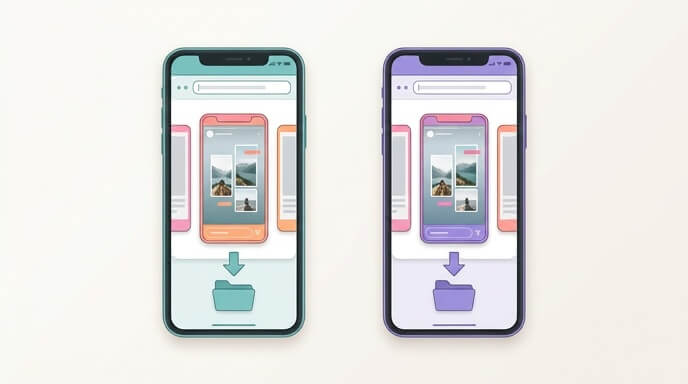
Table of Contents
What Both Tools Can and Cannot Do with Instagram Stories
Private accounts are a dead end for both tools, even if you follow the account yourself. Instagram checks followers on its own servers, and a downloader that never logs in as you can’t pass that check. If a site claims it can grab private Stories, it isn’t doing what it says. And if any page asks for your Instagram password, close it.
Don’t expect a quality upgrade either. Instagram squeezes Stories when they’re uploaded, so what you save will look like what you watched, not better. The best a tool can do is avoid making it worse.
Then there’s the clock. After 24 hours, a Story that never made it into a Highlight has no public link left, so neither tool can find it.
How SaveFromIns Handles a Story, From Link to Saved File
For a browser-only route, SaveFromIns for downloading Instagram Stories has its own Story page. You paste whatever its input box asks for, which is a public username or a Story link. On a phone it goes like this:
- Find the Story in Instagram and jot down the username, or copy the Story link if the app gives you one for that Story.
- Open the SaveFromIns Story page in your phone’s browser and paste it in.
- Tap Download and give it a few seconds. If it offers a quality choice, pick one before you save.
- On Android the file goes to your Downloads folder. On an iPhone it may open in Safari instead, so press and hold the video or photo and choose Save to Photos or Save to Files.
Photos arrive as JPG and videos as MP4, and either one opens in the normal gallery app on Android or iPhone.
Reviews do mention heavy ads and the odd failed download. If the first try dies, close whatever pop-up tab opened, go back and paste again. When it fails twice on the same Story, suspect an expired Story or a private account before you blame the tool.
Using the SaveFromIns Chrome Extension for Stories
The Chrome extension puts a download link right on instagram.com, which saves the copy-paste when you’re grabbing a few Stories in a row. The catch is in its listing: it asks to read your clipboard and to access Instagram pages. If you’d rather not hand over either, stick with the browser page.
How FastDL Handles a Story, From Link to Saved File
FastDL only asks for a public username or link, with no account. The username route pays off when a creator has posted three Stories today. A single Story link covers one Story, so three links means copying, pasting, waiting and saving three times, while a username that lists every current Story could get it done in one go. Check whether the tool really shows them all on one results page before you rely on that, and run the same check on SaveFromIns.
FastDL has a Chrome extension too, with a one-click download on public Instagram pages. Private content is still off the table. Ads vary with the page and your device, so treat any pop-ups you hit as part of the evaluation, not a fluke.
Side-by-Side on the Same Story: Speed, Quality, Ads and Errors
| What you can verify | SaveFromIns | FastDL |
| Instagram login needed | No | No |
| Private accounts | Not supported | Not supported |
| Cost | Free | Free |
| Chrome extension | Yes | Yes |
The table covers where the two match, which leaves speed, ads and error rates as the real differences. Those shift with traffic and ad networks, so a ranking printed here would go stale fast. A quick check of your own works better, and it takes only a few minutes:
- Pick a public account that has a photo Story and a video Story up right now.
- Run both through each tool, on the same phone and the same connection.
- Count the taps from paste to saved file, count the pop-ups or redirects, and note whether the first attempt worked.
- Open each saved file next to the Story in the app. They come from the same compressed source, so if one tool’s file looks clearly different, that’s worth writing down.
Photo Stories vs Video Stories
Do both types, because a tool can handle a photo without trouble and choke on a video. Photos save as JPG and videos as MP4. Stickers and music are a separate question: what ends up in the saved video depends on how Instagram serves that particular Story, so play the file once before you assume it matches what you saw.
Privacy and Safety: What Each Tool Asks For
Neither tool needs your Instagram login, so a paste-and-download routine keeps your account out of it. Since nothing signs in as you, there’s also no account of yours for the Story owner’s viewer list to record.
Extensions change the picture a little. SaveFromIns’s listing shows clipboard reading and Instagram site access, and FastDL’s extension deserves the same look at its permission prompt before you install. You get one-click saving and you pay with those permissions. A plain browser page asks for neither.
Close the page if it wants you to log in with Instagram, promises private-account downloads, or pushes an app install or notification permission just to hand over one file.
Which Tool Fits Which Situation
- One Story on an iPhone: use whichever Story page gets you to Save to Photos in fewer taps, then bookmark it. With SaveFromIns the usual path is Safari, press and hold, Save to Photos.
- Several Stories from one creator: go with the tool that takes a username and lists current Stories, since every extra link costs another round.
- Regular saving on a desktop: the extension route skips the most steps, as long as you’re fine with its permissions.
- Android with ads as the main annoyance: let the pop-up count from your own check decide.
On what can be verified from the outside, the two are level. Both are free, both skip the login, both only work on public Stories, and both have a Chrome extension. The better one is whichever finishes your save in fewer taps with fewer pop-ups on your phone this week. If you want a place to start, try SaveFromIns’s Story page first because it’s built for Stories, and keep FastDL as the backup for the day one of them fails on a particular Story.