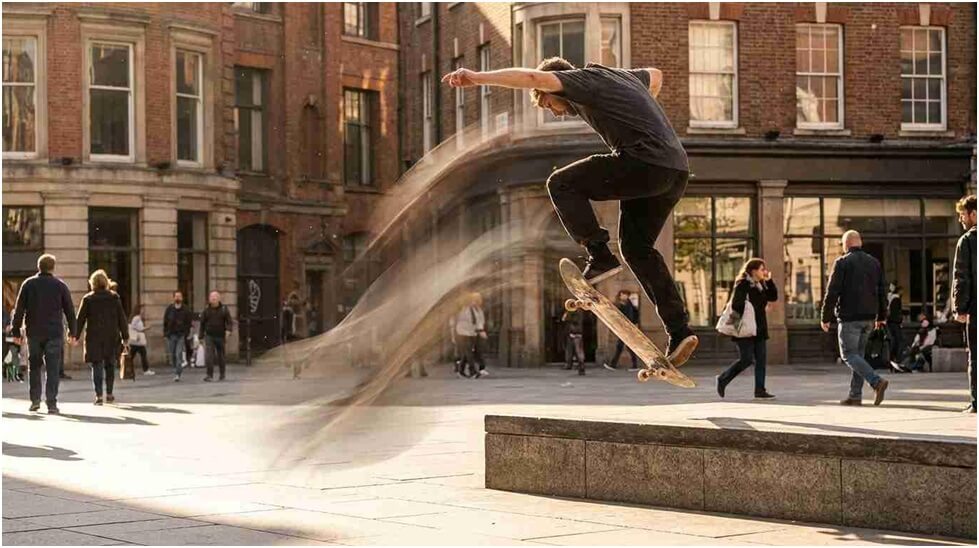
You’ve got a clip on your phone that’s almost perfect, except it’s two seconds short of what the platform actually wants, or it just cuts off right as the moment was genuinely getting good. Reshooting isn’t always an option, especially if it was a one-time thing you caught by pure luck. This is where an AI Video Extender from the very advanced multiplaform Higgsfield comes in handy, letting you stretch a real clip past its original ending without it looking like you just slowed it down or looped the last frame.
Table of Contents
Why Do Short Clips Keep Falling Short on Length?
Anyone who’s tried to post video on multiple platforms knows the length requirements are a mess. What works as a TikTok is too short for a YouTube Short’s minimum, and a clip generated by an AI tool often gets capped at just a handful of seconds by default. You end up with genuinely good footage that’s technically the wrong length for wherever you actually want to post it, and there’s no built-in way to just make it longer without starting over.
This is a genuinely specific kind of frustration too, worth naming directly. The clip itself is fine, the framing works, the moment is good, but the runtime doesn’t match what a platform expects, and that mismatch alone can be the difference between something you post confidently and something you end up shelving because it feels incomplete or gets algorithmically deprioritized for running short of the expected minimum.
What Actually Happens When You Try to Stretch a Clip the Old-Fashioned Way?
Slowing down footage to make it last longer is the classic workaround, and it works fine for the first second or two before it starts looking obviously wrong, motion gets syrupy, faces move unnaturally, and anyone watching can tell something’s off. Looping the last frame or freezing on the final shot is the other common fix, but it’s an obvious giveaway too, since nothing in the frame is actually moving anymore.
Both of these tricks share the same underlying problem: they’re working with information that’s already there, not adding anything new. Slowing footage down spreads existing motion across more frames, which is why it starts looking wrong past a certain point, and freezing a frame just stops motion entirely, which reads as exactly what it is, a paused image rather than a continuation of something real.
How Is Extending a Video With AI Different From Just Slowing It Down?
Here’s the actual difference worth understanding. An AI video extender doesn’t stretch the frames you already have, it generates new ones that continue the motion, the subject, and the style of the original clip. So if someone’s mid-stride in the last frame, the extension keeps them walking naturally instead of freezing them in place or slowing their steps into something that looks fake. It’s closer to the model predicting what would happen next than to any kind of playback trick, and Higgsfield’s version is specifically built to blend that generated portion in without a visible seam.
What Should You Actually Use This For, and What Should You Avoid?
Use it to add a few natural seconds to real footage you actually captured, so it hits the length a platform wants or lets a moment breathe a little longer. Don’t use it to make it look like something happened that didn’t, like extending a reaction shot to imply someone reacted a certain way for longer than they actually did. The extension should feel like a genuine continuation of what was really filmed, not a way to put words or actions into a clip that weren’t there.
Think about it the way you’d think about any editing choice that touches what actually happened. Trimming a boring pause out of a video is a normal editing decision. Splicing in footage of someone saying something they never said crosses into a different category entirely. Extending a clip’s runtime sits closer to the first category when it’s continuing something real, and closer to the second when it starts inventing new content the camera never actually saw.
What Happens When You’ve Got a Great Clip That’s Just a Bit Too Short?
This happens constantly with AI-generated clips specifically, since a lot of generation tools cap output at a handful of seconds by default. You get a genuinely solid result, but it’s short enough that posting it feels incomplete, especially on platforms where a slightly longer runtime tends to perform noticeably better.
This shows up just as often with real, phone-shot footage too. You catch something worth sharing, a pet doing something funny, a sunset that only lasts a minute, a friend’s reaction to good news, and by the time you review it, the clip runs a beat or two shorter than you’d actually want it to be, either because you started recording a second late or because the actual moment simply ended before you expected it to.
What Are the Traditional Options for Making a Short Clip Longer?
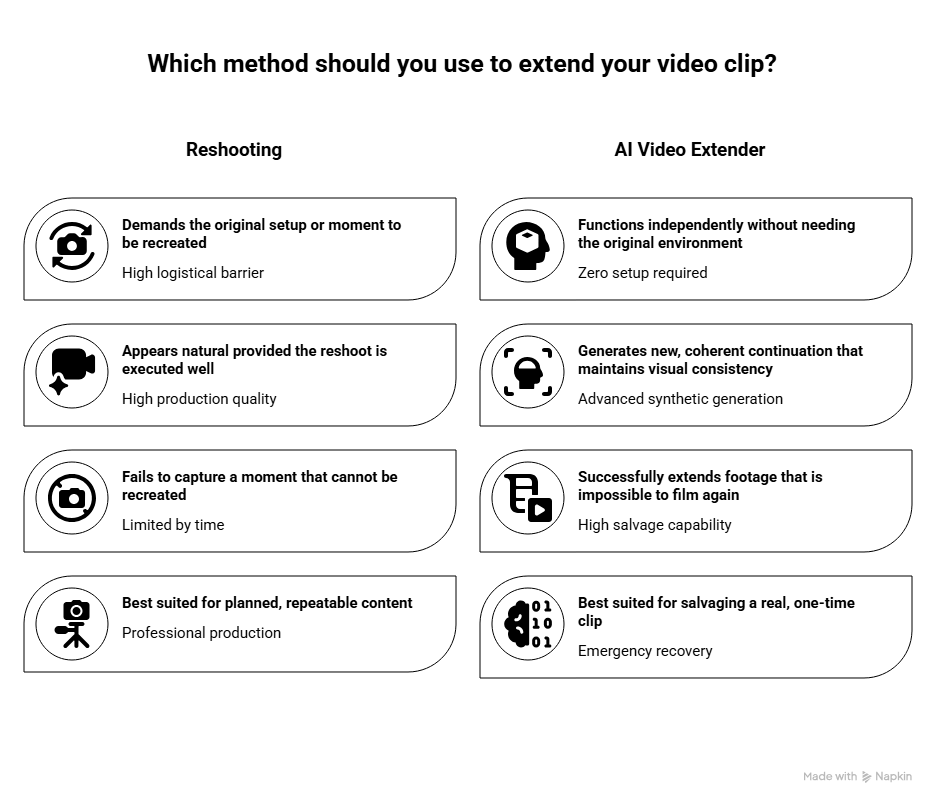
Reshooting the whole thing is one option, and it gives you full control if the original setup is still available. Slowing down or looping the existing footage is the more common shortcut, but it usually looks noticeably off once you actually watch it back.
The problem with reshooting is obvious once you think about it: a lot of the moments worth capturing can’t actually be recreated on demand. A candid reaction, a specific lighting condition, a pet doing something once, none of these are things you can just ask to happen again on cue. And the problem with slowing down or looping is that both tricks are visible the moment you’re paying attention, which means anyone watching closely enough will notice the seam, even if a casual viewer scrolling past never catches it.
How Does This Fit Into an Actual Content Creation Workflow?
An AI Video Extender, available through Higgsfield, lets you upload a clip and generate additional seconds that continue the motion and style seamlessly, without a visible seam where the real footage ends and the new part begins. If you’re already producing content regularly, this becomes one more step in the editing process rather than a reason to reshoot something that technically worked but just ran a bit short.
That accessibility matters for anyone posting content on any kind of regular schedule. If fixing a runtime problem meant re-planning a whole shoot every single time it came up, most people would just skip posting the clip entirely rather than deal with the hassle. A tool that turns “this clip is two seconds too short” into a quick upload-and-generate step removes exactly the kind of friction that otherwise keeps genuinely good content sitting unused in a camera roll.
What Needs to Stay Honest When You’re Extending a Real Clip?
This is the part worth being careful about. The extended portion should represent a plausible continuation of what actually happened in the original footage, not a way to imply an action, reaction, or event that didn’t genuinely occur. Use Higgsfield’s tools to give real footage the runtime it needs, not to fabricate content and pass it off as something that was actually captured on camera. That distinction matters more the more realistic these extensions look.
What Can You Build Beyond Just Fixing One Short Clip?
Fixing a single clip’s length is the obvious first use, but it connects to the bigger picture of choosing the right AI video tool for your workflow, something Tech in Deep’s own guide to AI video generators covers in more detail, walking through the factors worth checking, ease of use, output quality, pricing, and ownership rights, before committing to any platform. That broader guide is worth reading if you’re picking a tool from scratch; this piece is specifically about the extending problem, which is only one slice of what a full AI video workflow can actually cover.
Higgsfield AI is a native AI creative suite, which offers advanced AI image, video, and voice generation, editing, and upscaling tools. That means the same workspace covers photo generation too, not just extending existing video.
Does This Replace Actually Knowing How to Shoot Good Footage in the First Place?
No. What makes a clip worth watching is still the actual content, the timing, the framing, the moment itself. A tool like this fixes a length problem after the fact. It doesn’t make a boring clip interesting, doesn’t improve bad framing, and doesn’t replace the judgment that goes into capturing something worth posting in the first place.
That’s worth saying plainly because it’s easy to treat any AI tool as a shortcut around the actual work. Extending a clip solves exactly one problem, runtime, and nothing else. A clip with genuinely weak content will still be weak content once it’s a few seconds longer, and a clip with genuinely good content was already worth posting before the runtime got fixed. The tool changes whether the clip fits a platform’s requirements, not whether it was worth making in the first place.
What Should You Look for in an AI Video Extender for This Kind of Use?
Seamless blending matters most, since a visible seam between the real footage and the generated extension defeats the whole point. The ability to continue motion and subject accurately matters, since a walking person should keep walking, not glitch into something odd. And straightforward upload-and-generate simplicity matters, since most people doing this aren’t trying to learn a whole new piece of software just to fix a clip’s runtime.
Turnaround time is worth checking too, since the whole appeal of this approach is fixing a runtime problem quickly enough that it doesn’t feel like a bigger project than the original filming was. A tool that takes as long as reshooting the clip defeats its own purpose, even if the final quality is genuinely good.
What Are the Key Takeaways for Smartphone Content Creators?
- An AI Video Extender generates new frames that continue a clip’s real motion and style, rather than just slowing down or looping what’s already there, which is why it doesn’t create the same visible seam those older tricks always leave behind.
- This kind of tool solves a genuine, common problem, short clips that don’t meet a platform’s minimum length, without requiring a reshoot of a moment that might not even be repeatable.
- The extended portion should represent a plausible continuation of real footage, never a way to imply something happened that didn’t actually occur on camera.
- This kind of tool fixes a length problem but doesn’t replace the actual content, timing, and framing that make a clip worth watching in the first place.
What Are Some Frequently Asked Questions About This?
Q1: Can an AI Video Extender be used to make it look like something happened that didn’t?
It shouldn’t be used that way. The tool is meant to extend real footage naturally, not to fabricate a reaction or event and pass it off as something that was actually captured, which is exactly the kind of misuse that undermines trust in video content generally.
Q2: Does this work on any short clip, or just ones generated by AI?
It works on both. Whether the original clip was filmed on a phone or generated by another AI tool, the extender is generating a continuation based on what’s already there, not treating one source differently than the other.
Q3: Do I need video editing skills to use this kind of tool?
No. Uploading the clip you want extended is generally enough to get a usable result without prior editing experience, since the actual generation work happens automatically once you’ve selected the clip and confirmed the extension.
Q4: Is this only useful for social media clips, or does it help with other kinds of content too?
It helps with other content too, since any short clip that needs to run a bit longer, a product demo, a quick tutorial, a personal video, can benefit from the same approach, regardless of what platform it eventually ends up on.