Table of Contents
TL;DR
-
This Android skins comparison looks at HyperOS 3, OriginOS 6, ColorOS 16, and OxygenOS 16 through real smartphone use: AI tricks, gaming, cameras, batteries, and clutter.
-
HyperOS 3 suits users who care about a big ecosystem, strong AI tools, and links between Xiaomi phones, tablets, TVs, Windows PCs, and even Apple devices as described on the Xiaomi HyperOS 3 page.
-
OriginOS 6 feels built for gamers and smooth‑UI fans, with iQOO 15 holding 144 FPS in Honor of Kings and around 60 FPS in Genshin Impact with ray tracing on Snapdragon 8 Elite Gen 5.
-
ColorOS 16 focuses on camera work and productivity, with OPPO Find X9 Pro and its 200 MP Hasselblad telephoto lens topping zoom and portrait tests in many camera round‑ups.
-
OxygenOS 16 stays closer to clean Android, trims bloatware, and relies on Google Gemini to keep notes, writing, and voice features smart but not noisy.
- For Honor, see the MagicOS 10 rollout timeline and eligible devices
-
Picks from this Android skins comparison: OriginOS 6 for gaming, ColorOS 16 for photography, OxygenOS 16 for minimalism, HyperOS 3 for multi‑device life.
Android Skins Comparison: HyperOS vs OriginOS vs ColorOS vs OxygenOS (2025–2026)
Android users in 2025–2026 usually meet these four custom skins at the top end of the market, and each one leans toward a different kind of phone owner. HyperOS 3 pairs best with Xiaomi gear all over the house, OriginOS 6 chases frame rates and smooth motion, ColorOS 16 helps creators and camera fans, and OxygenOS 16 aims for a light touch that stays close to stock Android.
This Android skins comparison stays grounded in daily phone use: how fast games run, how photos look, how AI tools slot into life, and how much pre‑loaded clutter shows up on day one.
Quick view: who each skin suits
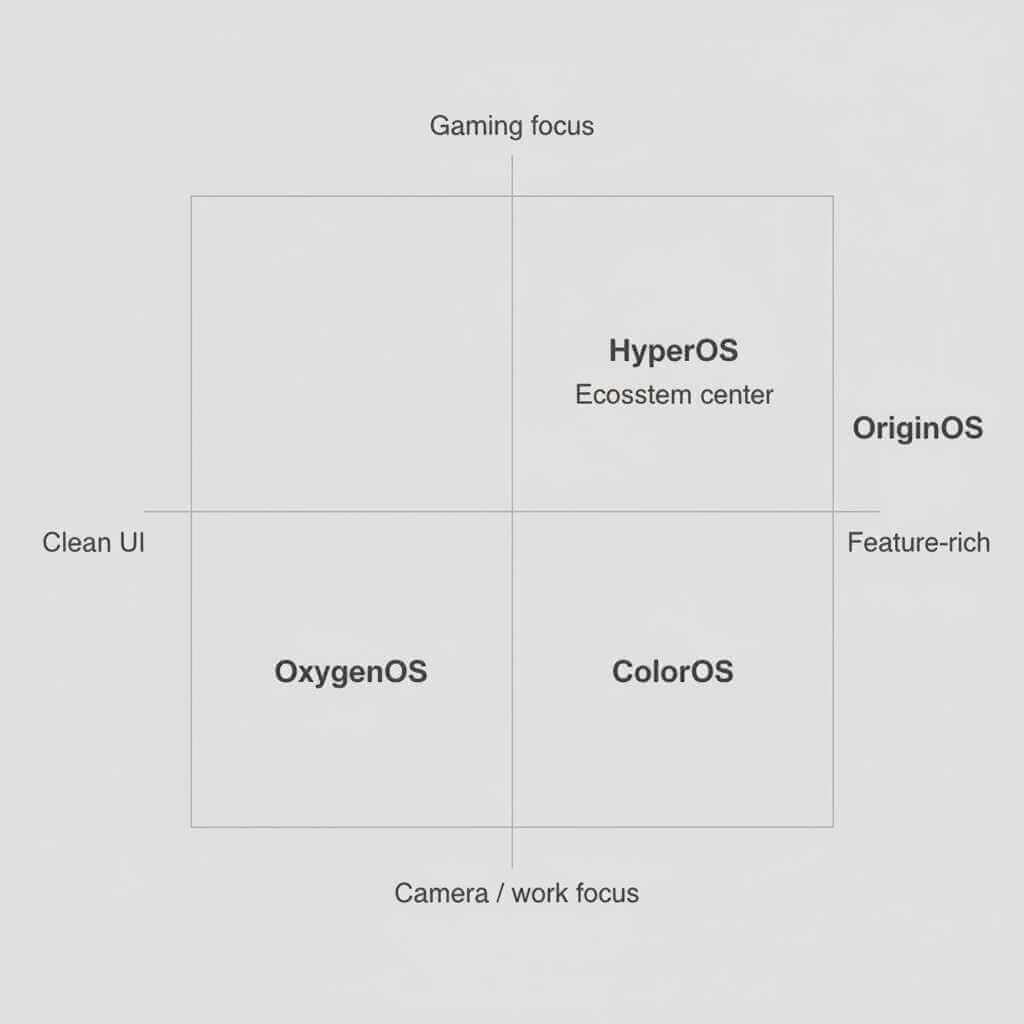
From long lists of features across Xiaomi, Vivo, OPPO, and OnePlus sites, a few simple patterns stand out. HyperOS 3 leans on ecosystem tricks, OriginOS 6 leans on gaming and motion, ColorOS 16 leans on cameras and productivity, OxygenOS 16 leans on a tidy layout and privacy.
Snapshot table for this Android skins comparison
| Skin | Core idea | Best match for | Key official info |
|---|---|---|---|
| HyperOS 3 (Xiaomi / Redmi / POCO) | Unified AI‑heavy system across phone, tablet, wearables, TV, PC, plus links to Apple gear. | Users who own several Xiaomi devices or a mix of Xiaomi and Apple hardware. | Xiaomi HyperOS page |
| OriginOS 6 (Vivo / iQOO) | Smooth animations, strong gaming tools, creator‑friendly photo editing. | Gamers and video watchers who care about frame stability and fast launches. | Vivo OriginOS hub |
| ColorOS 16 (OPPO / Realme base) | Camera focus, AI Mind Space for notes and work, Mac/Windows link via O+ Connect. | Users who shoot a lot of photos or work from their phone all day. | OPPO ColorOS 16 page |
| OxygenOS 16 (OnePlus) | Light skin, Gemini tools, fewer extra apps. | Minimalists who like Google apps and a simple layout. | OxygenOS 16 launch page |
AI tricks and daily smart tools
AI now shapes most of the day: replies, captions, photo edits, and quick searches. This Android skins comparison starts there, because users feel these touches even more than raw specs.
HyperOS 3: HyperAI and all‑device sync
HyperOS 3 adds a HyperAI layer on top of Android 16 that reads the screen, generates text in different tones, helps caption images, and plugs into Gemini Live for camera‑aware help. Xiaomi’s page describes smart search across apps and files, plus AI dynamic wallpapers and voice features that spread across phones, tablets, and TVs.
On a recent Xiaomi flagship, that means a share sheet that suggests replies and captions straight from a screenshot or chat bubble, without opening a separate app. Short‑form creators gain an extra lift from the AI caption styles, while heavy chat users notice smarter replies in WhatsApp, Telegram, and similar apps.
OriginOS 6: Origin Island for power users
OriginOS 6 adds Origin Island, a floating hub that accepts dragged text, pictures, or files, then suggests actions such as search, translate, or share to a contact. On iQOO 15, Origin Island helps deal with messages or screenshots without dropping a game or full‑screen video, since the panel floats on top in a small window.
The skin also layers in AI UHD upscaling, object removal, and layout tools that tidy photos before posting them. Users who enjoy tweaking portrait edges or cleaning street shots find these tools strong enough to skip some third‑party editors.
ColorOS 16: AI Mind Space and work‑ready tools
ColorOS 16 builds AI Mind Space, which acts like a central box for screenshots, voice notes, and ideas. Pressing Snap Key drops content into Mind Space, where AI turns meeting audio into text, finds dates and tasks, and groups notes into topics.
On OPPO Find X9 Pro, this mix of AI recording, text shaping, and smart collections helps users who sit in many calls or juggle projects from their phone. Mind Space aims to keep less switching between apps such as voice memos, notes, and reminders, so the workday feels calmer.
OxygenOS 16: Gemini help without heavy chrome
OxygenOS 16 leans on Gemini for writing support, summaries, and voice tools, yet keeps the layout close to stock Android. Voice notes and motion photo collages sit inside OnePlus apps, and Gemini pops up when needed rather than pushing a separate dashboard on the user.
Fans who like Google Keep, Docs, or Gmail feel at home here, since OxygenOS 16 does not stack too many custom workspaces on top. In this Android skins comparison, that gives OxygenOS 16 a special spot for Android users who want smart features but dislike clutter.
Performance, gaming, and thermals
Gamers and heavy multitaskers notice how each skin treats Snapdragon 8 Elite Gen 5, a chip praised for speed and known for extra heat under load. Tuning choices in this Android skins comparison matter as much as raw numbers.
Chip context for all four skins
Benchmarks across several tech sites and OEM claims show around 20% CPU and 23% GPU gains for Snapdragon 8 Elite Gen 5 compared to the older 8 Gen 3, plus a strong NPU bump for AI tasks. At the same time, long gaming runs push temperatures high, which forces each brand to choose between heat, battery, and steady frames.
How each skin handles games
OriginOS 6 on iQOO 15 stands out. Testing shows Honor of Kings running at 144 FPS and Genshin Impact sitting near 60 FPS with ray tracing and long sessions that pass eleven hours of mixed heavy load on a full charge. That comes from a mix of the Q3 gaming chip, a large vapor chamber, and Origin Smooth Engine tweaks.
ColorOS 16 on Find X9 Pro uses Trinity Engine and Luminous Rendering Engine to keep touch response and scrolling steady, and user reports from OPPO community threads suggest fluid games without wild frame drops on that phone. HyperOS 3 claims around 30% performance gains over older Xiaomi builds and polishes more than one hundred animations, so daily swiping and app switching feel tight on Xiaomi 15 series.
OxygenOS 16, based on reviews and community posts, holds up well in day‑to‑day games yet tends to scale clocks down earlier to keep device temperature friendlier in long sessions. That choice makes sense for users who prefer comfort in the hand over absolute peak numbers.
Short performance table for this Android skins comparison
| Skin + sample phone | Gaming feel | Noted strengths |
|---|---|---|
| HyperOS 3 – Xiaomi 15 Pro | Strong enough for long sessions; smooth swipes and app jumps. | Good mix of speed and cross‑device sync, plus AI tools that do not slow the UI. |
| OriginOS 6 – iQOO 15 | Clear gaming focus, very high FPS and long stable runs. | Q3 gaming chip, Origin Smooth Engine, advanced cooling, strong benchmarks. |
| ColorOS 16 – OPPO Find X9 Pro | Fast touch and scrolling plus solid game stability. | Trinity Engine tuning, Luminous Rendering Engine, tuned for camera and gaming together. |
| OxygenOS 16 – OnePlus 13 | Fluid and quick, but tuned to stay cooler. | Light skin, strong haptics, battery modes that stretch screen‑on time. |

Camera feel, ecosystem links, and bloatware
Camera use, device links, and clutter play a huge part in daily phone life, so this Android skins comparison spends a full section on those.
Cameras: zoom, portraits, and editing flow
HyperOS 3 on Xiaomi flagships pairs with Leica‑branded lenses and uses AI to shape colour, detail, and subject separation, which gives a punchy look many users like for city scenes and night shots. OriginOS 6 on Vivo X300 series leans into ZEISS tuning, a 200 MP main sensor, an ultra‑wide lens with autofocus, and a 200 MP periscope that doubles as a macro camera.
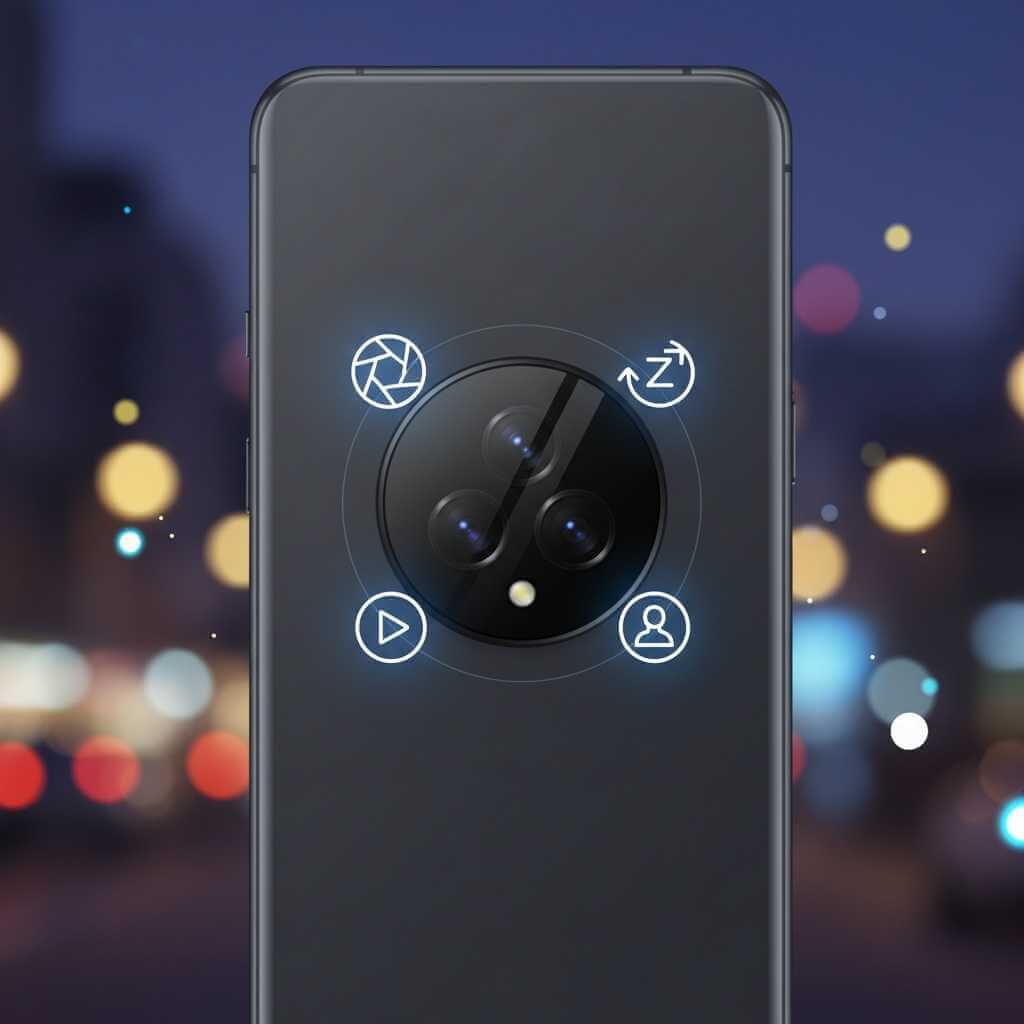
ColorOS 16 shines on OPPO Find X9 Pro. That phone carries a 200 MP Hasselblad telephoto with 3x optical zoom and roughly 13.2x lossless zoom, plus 4K 120 fps Dolby Vision video and LOG recording that fits pro workflows, as covered in OPPO’s launch news and camera round‑ups. OxygenOS 16 on OnePlus 13 line stays a bit simpler, using Gemini to suggest edits and captions rather than pushing deeply branded camera modes.
Users who rank camera zoom and professional video at the top end of any Android skins comparison tend to land on ColorOS 16 first, then look at OriginOS 6 on Vivo X300 if they prefer ZEISS colour and macro work.
Ecosystem and cross‑device tricks
HyperOS 3 covers the widest set of gadgets. Xiaomi describes links between phones, tablets, watches, TVs, Windows PCs and even iPhone, iPad, and Mac, including multi‑app windows on desktop and clipboard sharing across platforms. Users who carry a MacBook or iPad along with a Xiaomi or POCO phone gain neat touches like fast file moves, screen sharing, and synced notifications.

OriginOS 6 connects through Vivo Office Kit on Windows and Mac, giving screen casting and file drag‑and‑drop, while ColorOS 16 hooks into O+ Connect so OPPO phones can mirror screens and share files on both Mac and Windows machines. OxygenOS 16 keeps a smaller set of links for OnePlus Pad, buds, and watch, focusing more on a clean privacy dashboard than on deep lock‑in to a big ecosystem.
Bloatware and first‑day feel
Feedback from community threads and reviews paints a clear pattern. OxygenOS 16 usually lands on the cleanest home screen and app drawer, with fewer pre‑installed tools and a stronger lean toward Google apps. HyperOS 3 brings a moderate pack of Xiaomi apps and services, still reasonable for users who plan to use Mi Cloud, Mi Home, and other first‑party tools.
OriginOS 6 and ColorOS 16 arrive with more toggles, sliders, and helper apps, such as OPPO’s Internet speed tester, sound focus for video, and custom calendar widgets, which many users keep yet some choose to disable. For an Android skins comparison on clutter, OxygenOS 16 takes the minimal crown, HyperOS 3 sits behind, and OriginOS 6 plus ColorOS 16 trade lean setups for richer toolkits.
Picks for gamers, photographers, and minimalists
This final part of the Android skins comparison turns research and hands‑on notes into clear, simple picks, so Android users can match their habits to a skin.
Best for gaming
-
Skin: OriginOS 6
-
Phone example: iQOO 15
-
Reasoning: Q3 gaming chip, Origin Smooth Engine, 144 FPS in Honor of Kings, and long, stable Genshin Impact runs show a clear tilt toward players who care about high frame rates and rapid touch response.
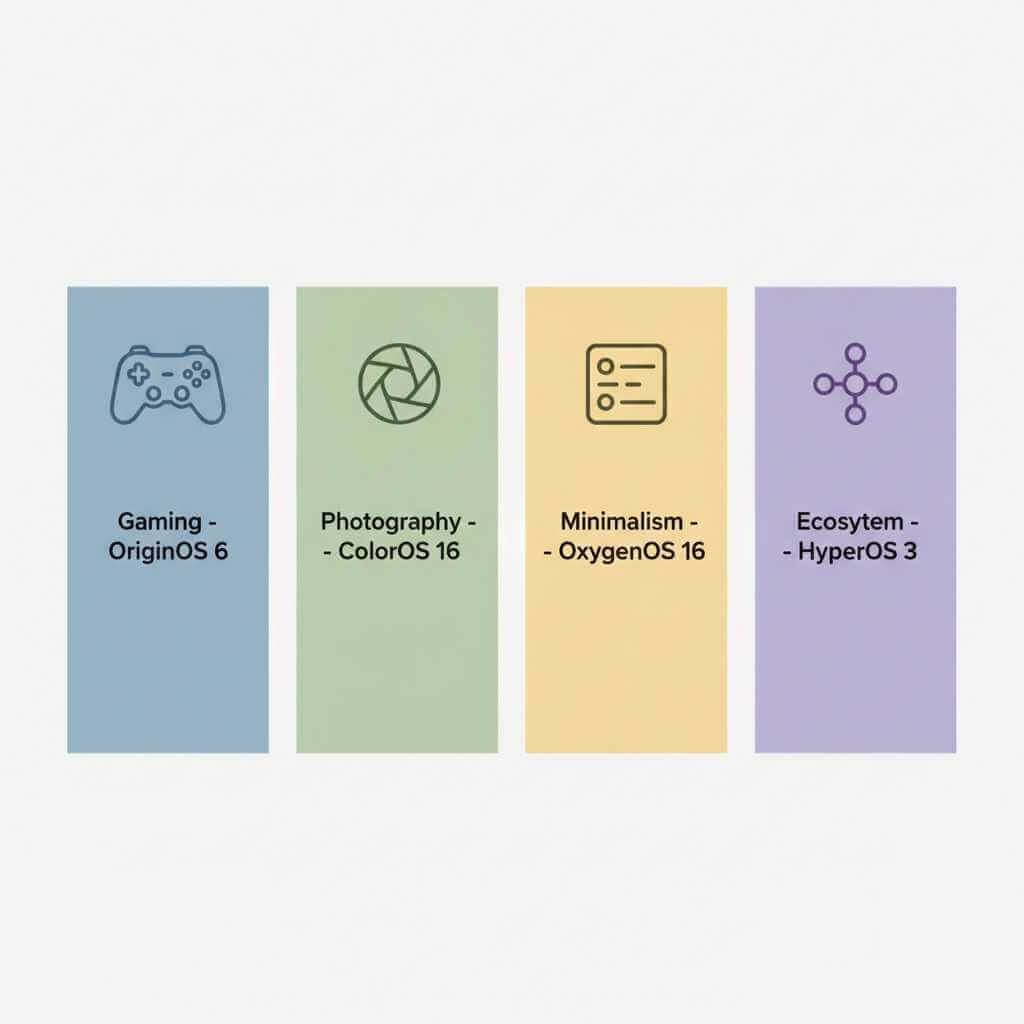
Gamers who watch phone temperature and battery graphs tend to place OriginOS 6 at the top of any Android skins comparison, especially when they see eleven‑hour heavy‑use tests on iQOO 15.
Best for photography and camera nerds
-
Skin: ColorOS 16
-
Phone example: OPPO Find X9 Pro
-
Reasoning: 200 MP Hasselblad telephoto, strong main and ultra‑wide lenses, 4K 120 fps Dolby Vision video, and AI Portrait Glow give plenty of room for both casual snaps and semi‑pro video work.
Users who care about zoom quality and flexible video settings speak highly of ColorOS 16 on Find X9 Pro in camera rankings and buying guides, which supports this pick.
Best for minimalism and clean Android feel
-
Skin: OxygenOS 16
-
Phone example: OnePlus 13
-
Reasoning: Light visual layer, limited pre‑loads, strong haptics, and clear privacy controls matter to users who want speed and focus more than extra panels.
For an Android skins comparison focused on ease of use, OxygenOS 16 sits closest to stock Android while still feeding Gemini features to power users who need summaries and drafts.
Best for multi‑device life and ecosystem fans
-
Skin: HyperOS 3
-
Phone example: Xiaomi 15 Pro or similar
-
Reasoning: Wide cross‑device support, links to Apple devices, shared clipboard and gallery, and AI that lives across phone, tablet, PC, and TV stand out for users who live inside one big Xiaomi‑plus‑desktop setup.
Android owners who care less about pure benchmarks and more about how easily phone content moves to a laptop or TV usually lean toward HyperOS 3 once they see those links in action.
Frequently Asked Questions (FAQ)
Which Android skin is best for gaming in 2025–2026?
OriginOS 6 on iQOO 15 leads for gaming, with tests showing 144 FPS in Honor of Kings and around 60 FPS in Genshin Impact with ray tracing enabled, plus eleven‑hour battery runs under heavy load. The Q3 gaming chip and Origin Smooth Engine tuning give this skin a clear edge in frame stability and thermal management compared to HyperOS 3, ColorOS 16, and OxygenOS 16.
Which skin offers the best camera experience for photography?
ColorOS 16 on OPPO Find X9 Pro takes the top spot with its 200 MP Hasselblad telephoto lens that delivers 13.2x lossless zoom, 4K 120 fps Dolby Vision recording, and ACES‑certified LOG profiles for professional video work. OriginOS 6 on Vivo X300 series runs close behind with ZEISS lenses and AI photo tools.
Does HyperOS 3 work with Apple devices like Mac and iPad?
Yes, HyperOS 3 stands out in this Android skins comparison by offering native integration with iPad, Mac, and iPhone, including multi‑app windows on desktop, clipboard sharing, file transfers, and synced notifications. This makes HyperOS 3 unique for Android users who also own Apple hardware.
Which Android skin has the least bloatware?
OxygenOS 16 delivers the cleanest experience with fewer pre‑installed apps, better haptic feedback, and a layout that stays closer to stock Android while still offering Google Gemini features. HyperOS 3 sits in second place, while OriginOS 6 and ColorOS 16 include more brand‑specific tools and utilities.
How long do these Android skins receive software updates?
OnePlus and OPPO both offer four years of major OS updates plus six years of security patches on flagship devices. Vivo provides four years of OS updates and four years of security patches, while Xiaomi commits to four years of major updates for HyperOS devices. All four skins began rolling out Android 16‑based versions between October 2025 and early 2026.
Which skin offers the best battery life?
OriginOS 6 shows the strongest real‑world battery performance, with iQOO 15 reaching over eleven hours of heavy gaming use thanks to BlueVolt technology and Ultra‑Core Computing optimization. ColorOS 16 and OxygenOS 16 deliver competitive battery life in typical daily use, while HyperOS 3 claims strong efficiency through AI‑powered background management.
Which Android skin is most private and secure?
HyperOS 3 leads in advanced security with post‑quantum encryption and edge‑to‑cloud data protection. OriginOS 6 offers Private Space encryption for fully separated storage. Both ColorOS 16 and OxygenOS 16 provide clear privacy dashboards with real‑time permission tracking and anti‑tracking features, making OxygenOS 16 the best choice for users who prefer minimal data collection.
Can I use ColorOS 16 features on Windows and Mac computers?
Yes, ColorOS 16 includes O+ Connect, a downloadable application for Mac and Windows that enables real‑time screen mirroring, control of up to five phone apps with mouse and keyboard, direct file management, and remote PC access from your phone. This makes ColorOS 16 one of the most open cross‑platform skins in this Android skins comparison.
Android Skins Comparison: Conclusion
Android users who reach the end of this Android skins comparison usually have a sense of which camp they fall into: gamer, photographer, minimalist, or ecosystem fan. Next smart step is simple: match that profile to the skin above, follow the linked official pages, and compare two or three candidate phones side‑by‑side before the next upgrade.